



Wyndo and Dheeraj had me back on The OneShot Show, episode 19, for a live walkthrough of what’s changed in the Claude Code app and a deep dive into loop engineering.
We just opened the Claude Code app and started exploring all the updates and running a couple of demo examples. Below is what we covered, with timestamps so you can jump to the part you care about.
(05:48) – Multi-pane: running two Claude sessions side by side
(10:23) – Auto mode vs. Bypass permissions (YOLO mode, and where it still stops itself)
(14:06) – The Claude Code browser: chat on one side, live preview on the other
(25:46) – Artifacts inside the terminal, plus MCP-connected live data
(31:57) – Routines vs. scheduled tasks (and the 15-routine limit)
(33:37) – Why loop engineering works
(39:36) – Loop anatomy: generate, evaluate, pass or fail, retry
(46:26) – Running my SEO loop live, on a real post
(58:00) – Loops vs. goals
If you can’t watch the video, here’s an explanation under each timestamp of what we were talking about.
Multi-pane: running two Claude sessions side by side
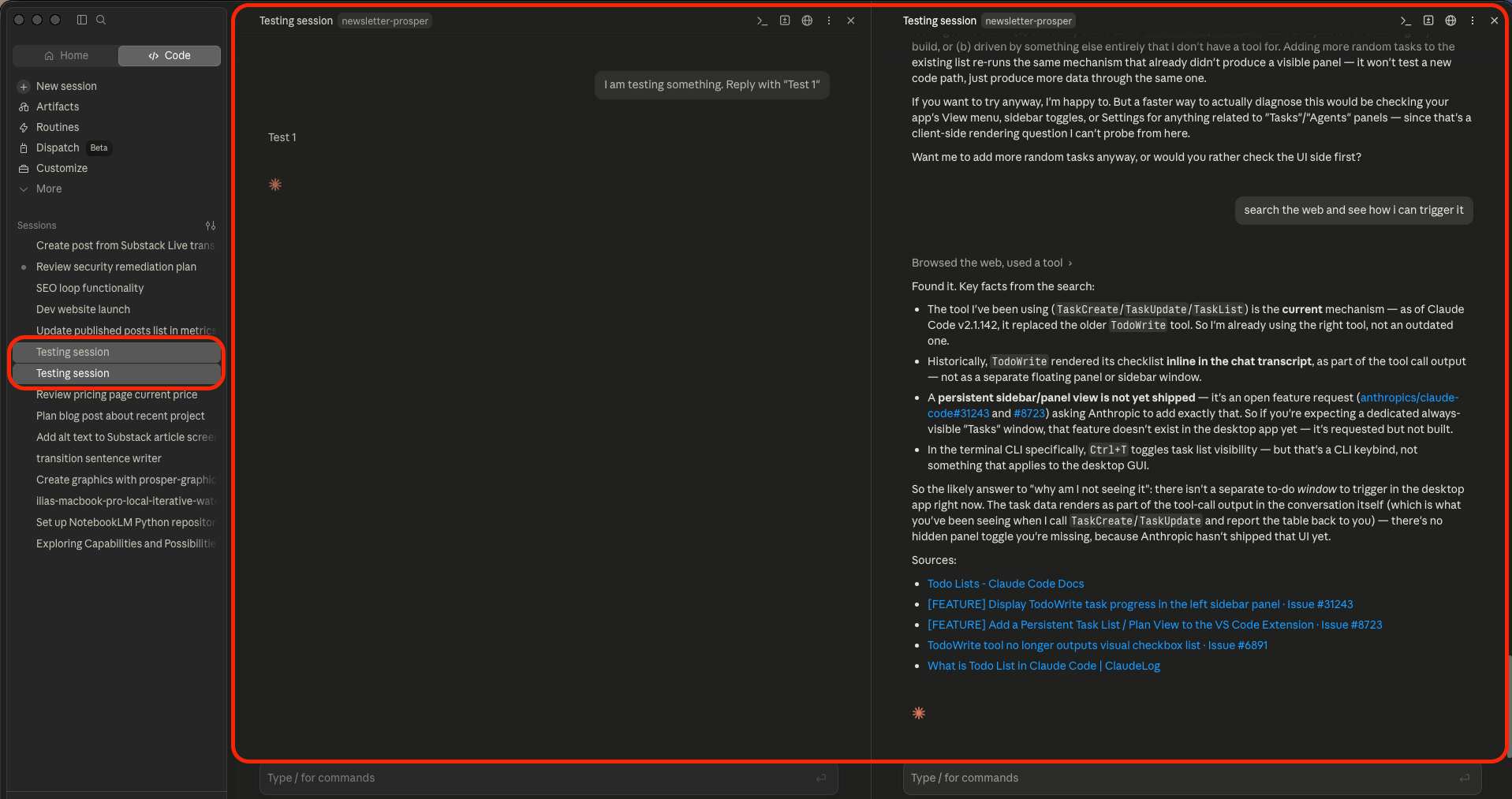
Drag a session from the left sidebar into the main screen and you can split it, stacked or side by side, so two sessions run at once, each on a different model if you want. I capped myself at two, and then mentally, I am starting to forget the tasks that were completed in each of the agent windows.
Dheeraj and Wyndo said the same: their real work-in-progress limit is two, even though people on X talk about running five or ten sub-agents at once. Personally, I don’t understand how they can run that many without losing their mind.
Auto mode vs. Bypass permissions
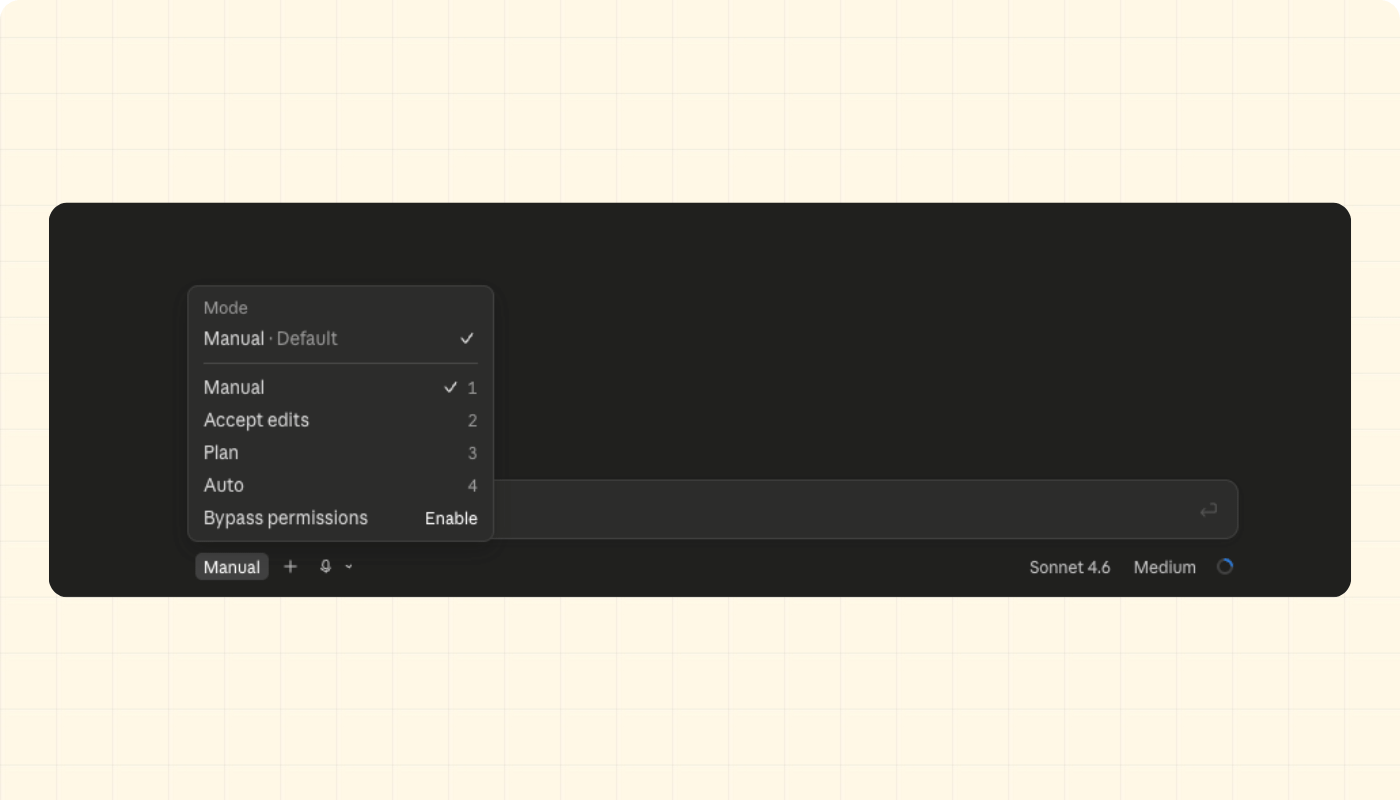
Auto is where I live most of the time, with Bypass for the rare case I want zero friction. As Dheeraj said it, Bypass is the real YOLO mode. Auto still asks before anything that reads as production-adjacent, deploys, or destructive, which is never a bad thing.
I had a good example of that a couple of days before the show: updating Expo packages on a client’s mobile app after a MacOS beta update broke things. Claude was mid-way through diagnosing package conflicts, still in auto mode, and stopped itself the moment the action turned destructive, without me having flagged anything. I believe that happens now because of how good harnesses are becoming. We’ll talk about the importance of harnesses later in the video and this post.
The Claude Code browser: chat on one side, live preview on the other
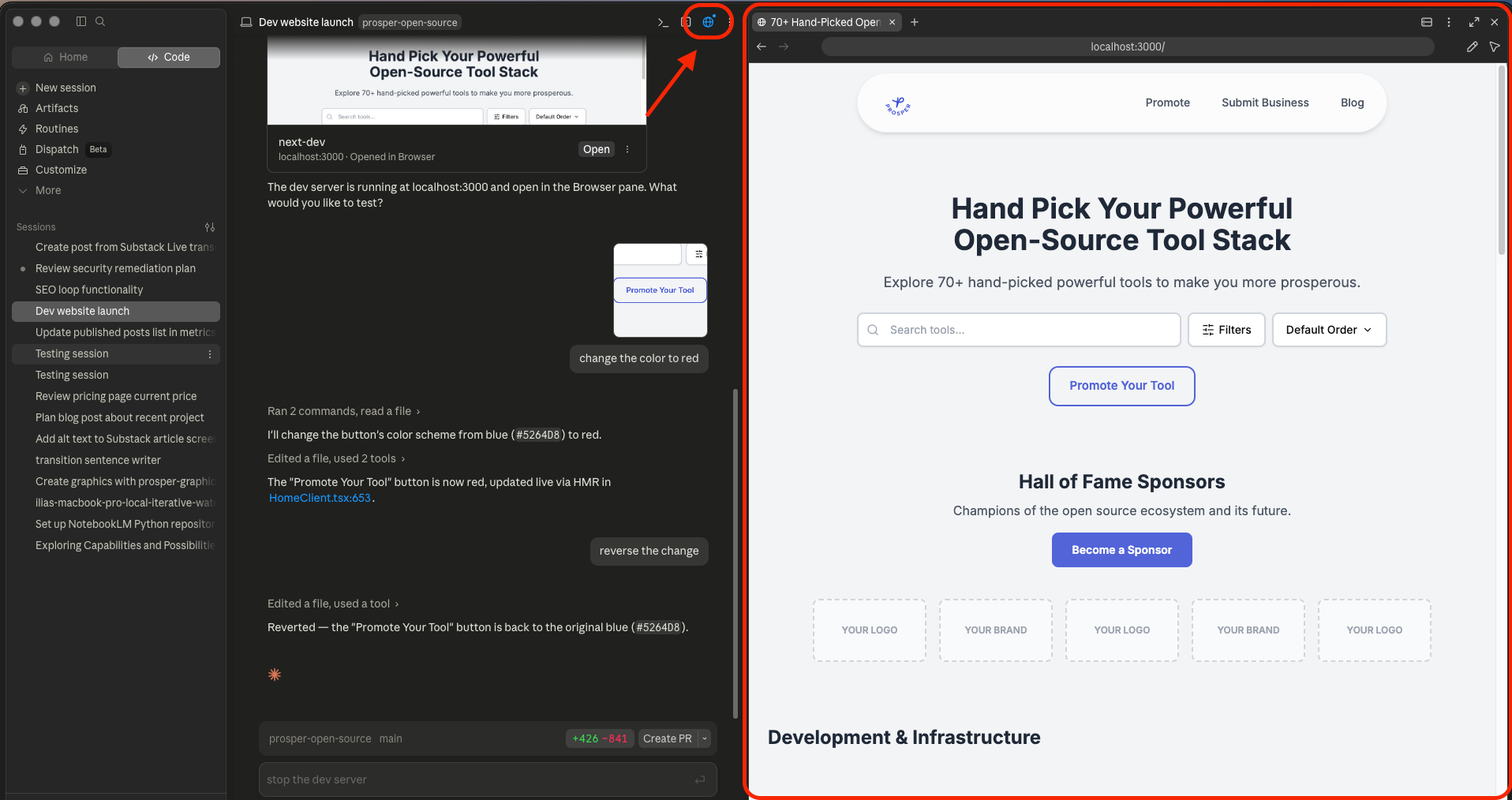
This is the feature I think will pull more of my work into the Claude Code app instead of the terminal version of it.
Open the browser panel and you get a dev environment on the right while you talk to Claude on the left, no switching windows, no split-screen setup of your own. You can log into Substack, X, or LinkedIn inside that browser session and it stays logged in, which is how I’ve been having Claude schedule Notes and posts directly.
The other half of it is the select-element and annotate tools: circle something on the page, click “add to chat,” and Claude gets a screenshot with your annotation baked in.
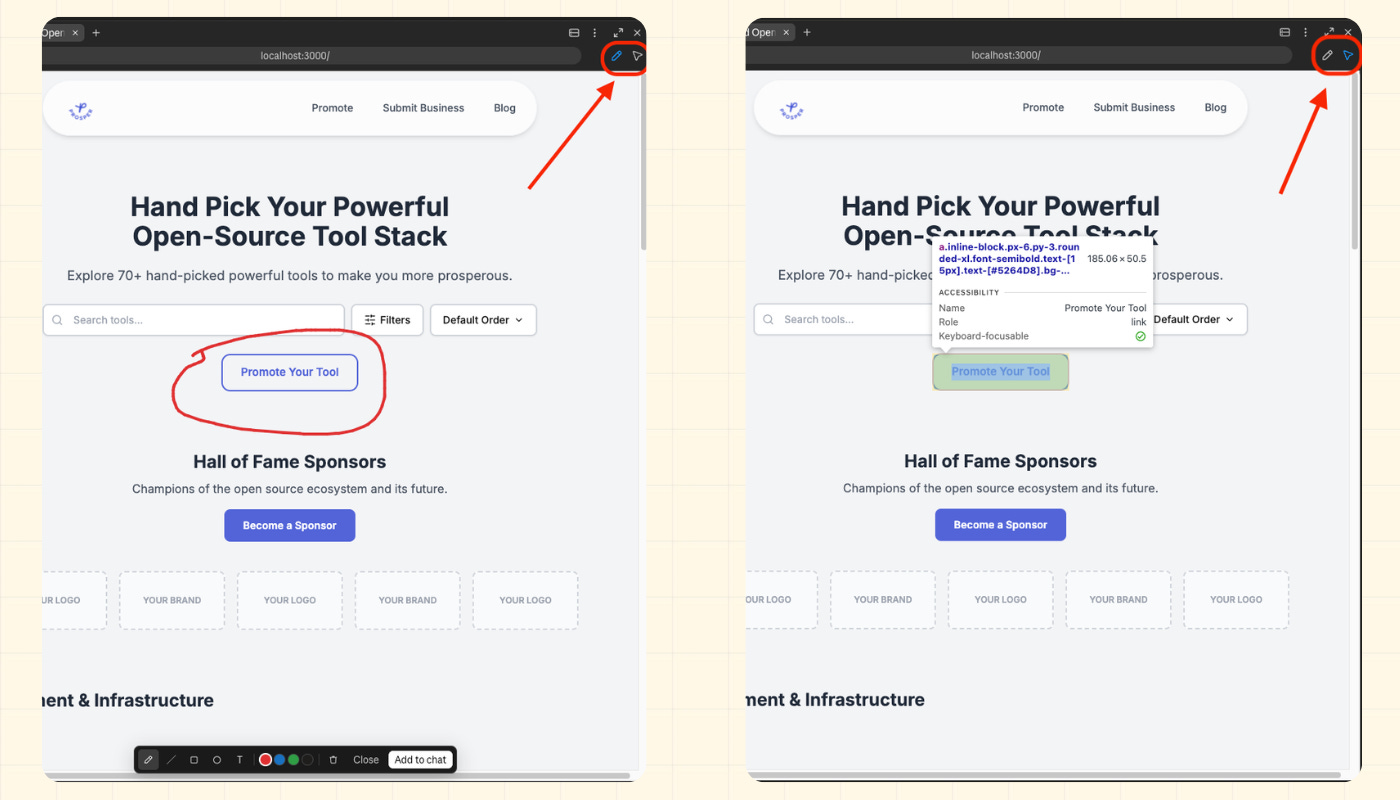
I did this live, circled a button, told Claude to change the color, watched it update in the preview in real time. Faster than describing the change in words, and faster than the old workaround of pointing Claude at Chrome DevTools or Playwright to “see” the page.
Claude Code Artifacts
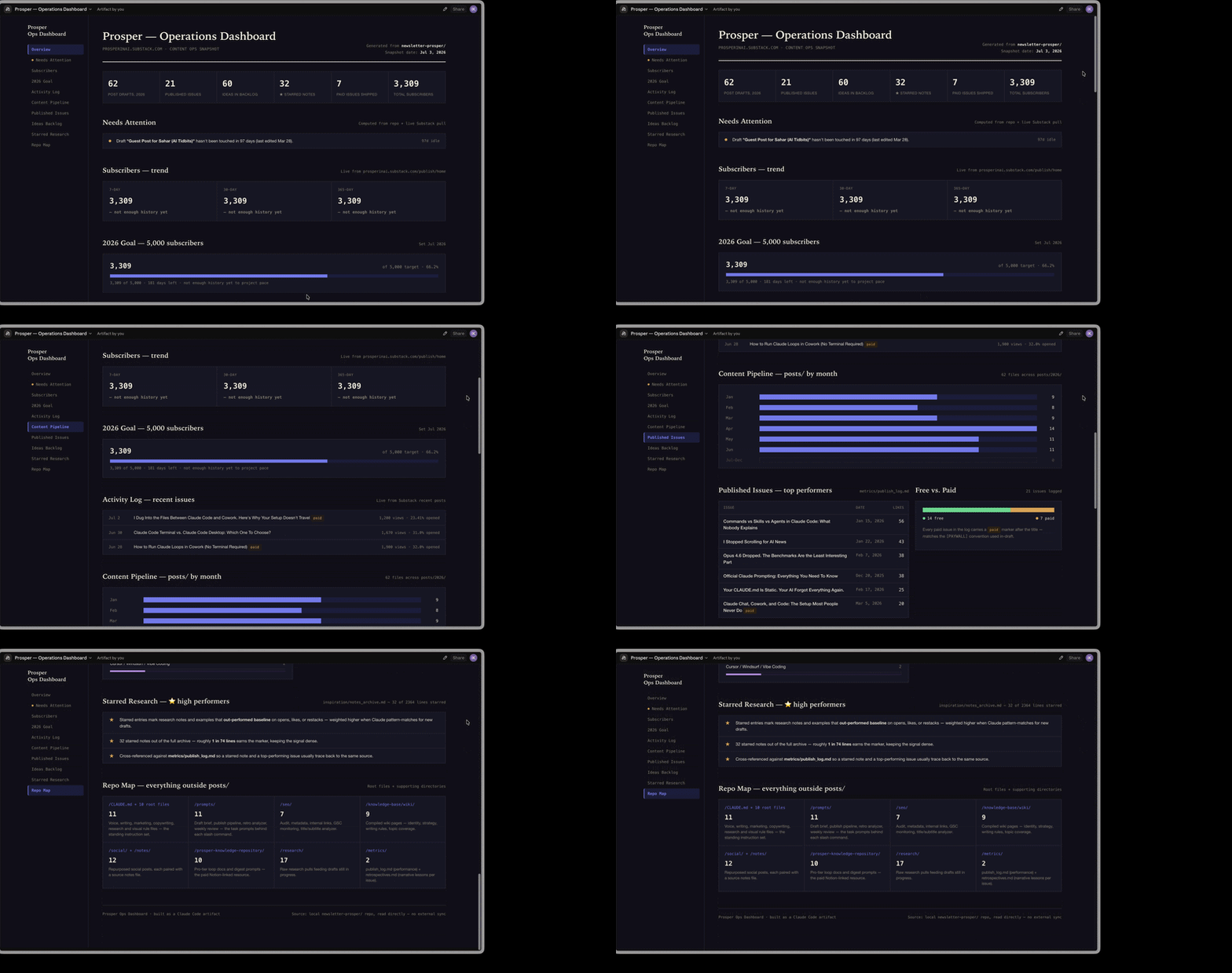
You can now create artifacts directly from the Claude Code terminal, not just claude.ai. I used this to build my Prosper ops dashboard, pulled the numbers straight out of Substack using the browser feature, clicking through the stats pages the same way I would by hand.
Once it exists, the artifact shows up under Artifacts in the left sidebar of the app, same link every time, versioned so you can see what changed and roll back.
Another amazing side of artifacts is the fact that they’re shareable: a live link a non-technical teammate can open and give feedback on, instead of a static export.
Anthropic also just shipped a way to connect artifacts to MCP servers, so a dashboard like mine can pull live data instead of a snapshot. And you can do that with hundreds of different MCP connections.
Routines vs. scheduled tasks (and the 15-routine limit)
Worth knowing the difference: a scheduled task runs on your own machine, a routine runs on Anthropic’s servers, meaning it doesn’t need your computer on and it loads its own context in the cloud. Dheeraj flagged that routines are capped, 15 on his plan last time he checked, which is why he still runs his own scheduled tasks on his own server for anything beyond that ceiling.
Why loop engineering suddenly works
Two things converging at once: models got reliable enough on long-running tasks to trust without babysitting every step, and harnesses like Claude Code, Devin, and Cursor got better at holding that context across a session. Neither alone would’ve made loops viable, you need both.
A loop needs a destination and an exit condition, like this:
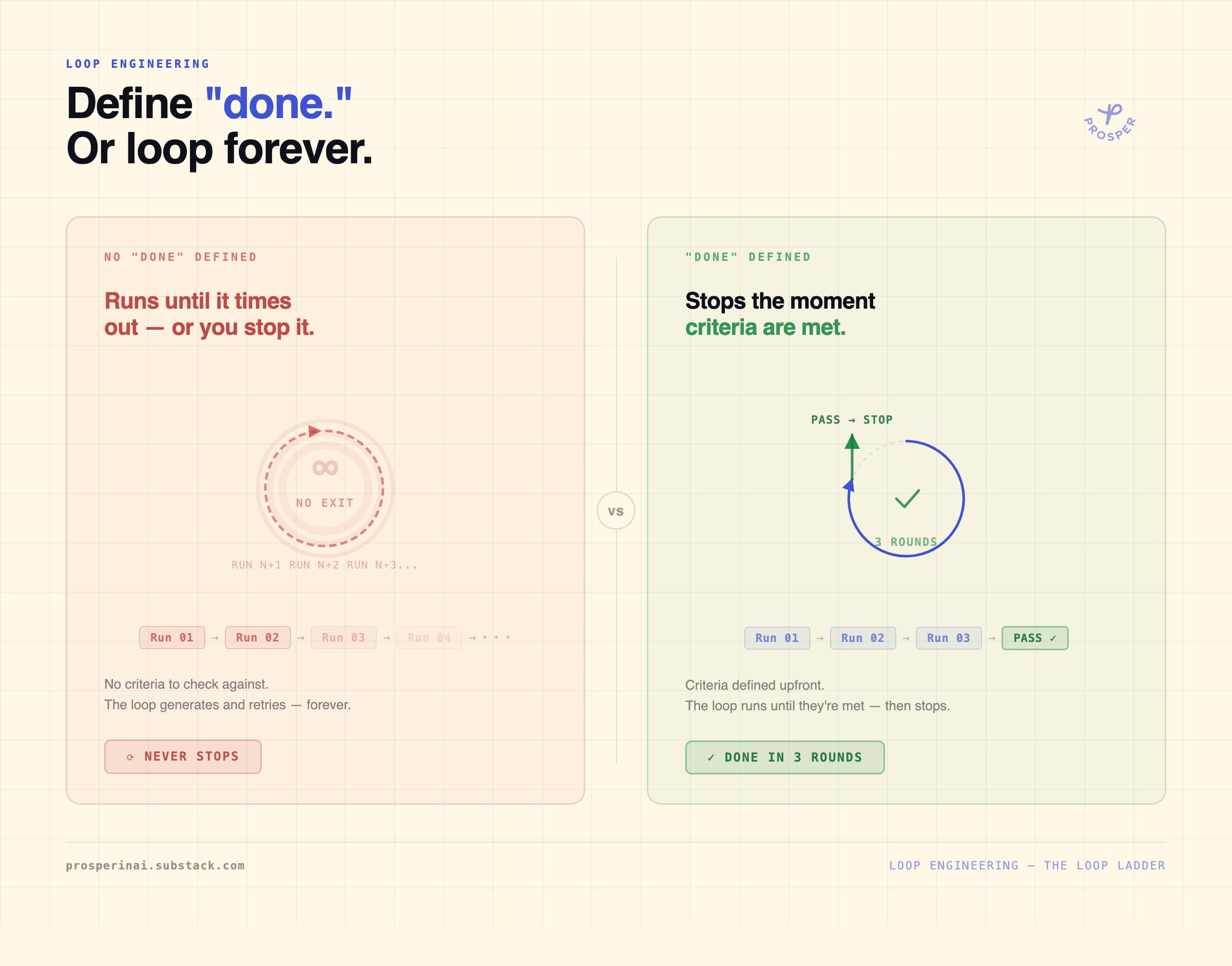
The same way you’d design a multi-agent pipeline by hand, a doer, a verifier, a fact-checker, a publisher, except now the model can orchestrate that sequence itself instead of you wiring together a Python script to hand off between them.
I walk through this same shift, prompting to context engineering to loop engineering, plus the 5 loops I’ve built into my own newsletter workflow in more depth:
How I Built 5 Loops Into My Newsletter Workflow

Two weeks ago, Boris Cherny, the person who leads Claude Code at Anthropic, said this at a WorkOS keynote:
Loop anatomy: generate, evaluate, pass or fail, retry
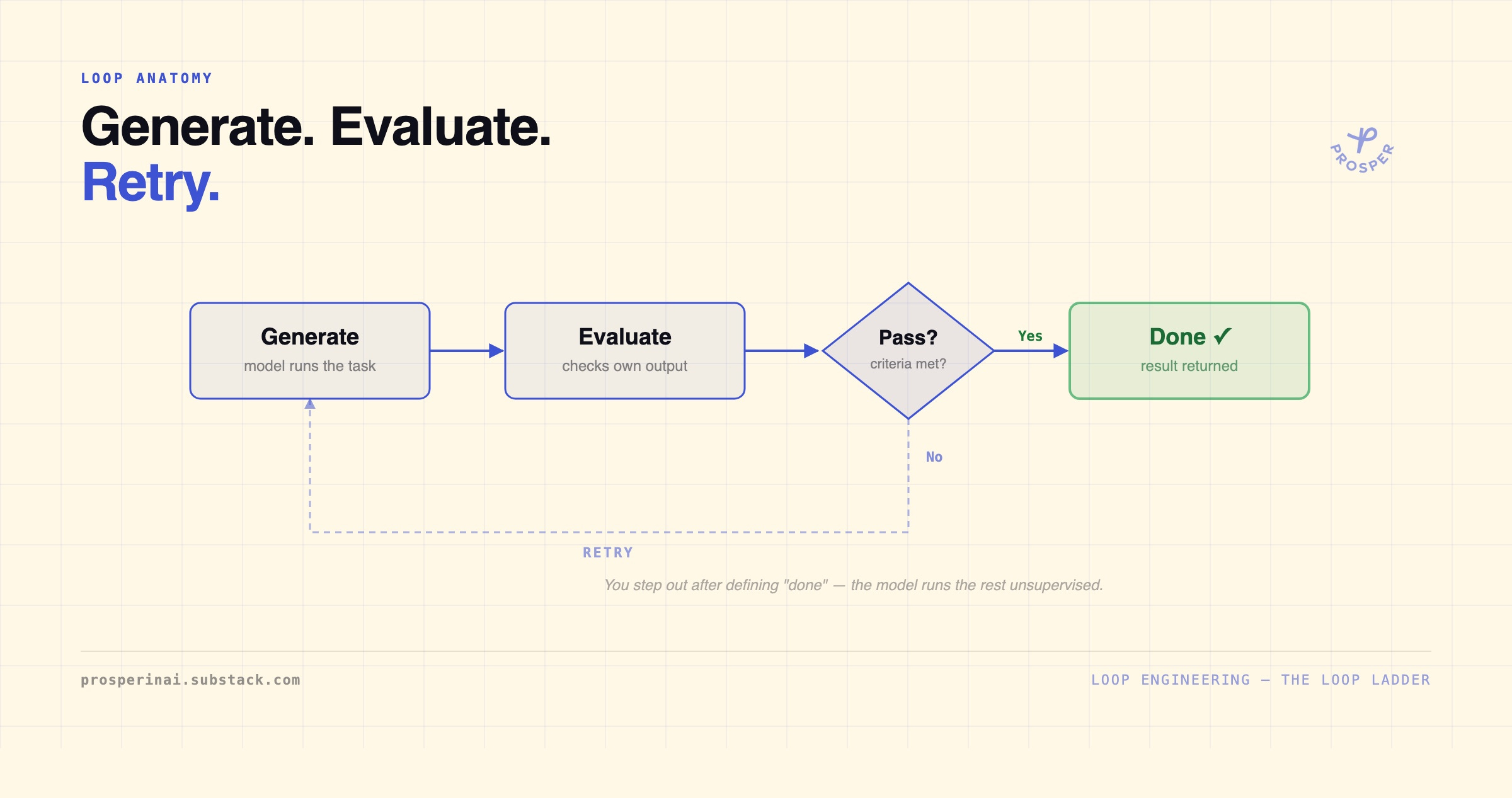
Four steps: generate the output, evaluate it against your criteria, check pass or fail, and if it fails, retry from generate or evaluate until it passes. The part that matters most is defining “done” up front, no exit condition means the loop just keeps running and burns through your usage limits without ever stopping.
My rule for when to use a loop at all: the project needs to already be 60-70% built. I won’t point a loop at something starting from zero, because without me in the loop making calls, the agent ends up making its own judgment on ambiguous decisions, and that’s where you get a result you didn’t actually want. Loops are for polishing something that already exists, not originating it.
Running my SEO loop live
I have five of these loops set up, so I scrolled through the options on screen first: the skills audit loop behind my AI skills audit post, and a loop tied to a post that hadn’t gone out yet at the time of the recording, on the AI release cycle compressing to weeks.
I picked the SEO loop, the one I run on every Prosper post before publish. It reads the draft plus a folder of reference files, title, subtitle, research, meta, internal links, audit, and runs an audit pass against them.
What I love about the way my SEO loops is set up, is that I can see where rounds fail or pass, and I can see what changes were made in each round. This helps me understand what’s working and what’s not, and I can adjust the loop accordingly, plus on top of that - I learn as well.
Loops vs. goals
A loop is a defined structure you set up in advance. A goal is closer to a superset of that, you describe the outcome and Claude Code decides probabilistically whether to run it as a fixed loop or improvise a dynamic workflow, without you specifying the steps. I haven’t used goals in production yet, but the same rule applies: you still need a done condition and a stop condition, or it’ll consume tokens the same way an open-ended loop will.
Thanks again to Wyndo and Dheeraj for having me back on The OneShot Show!
Go subscribe if you’re not already following along with their weekly updates. If you want the deeper build behind any of this, the SEO loop’s reference files, the ops dashboard, the artifact setup, that’s all in our Prosper archive!
Thank you so much for reading,
Ilia


