

How I Built 5 Loops Into My Newsletter Workflow
Five loops that check their own work and fix it before I see it. Plus 25 loop ideas you can steal for any workflow.

Two weeks ago, Boris Cherny, the person who leads Claude Code at Anthropic, said this at a WorkOS keynote:
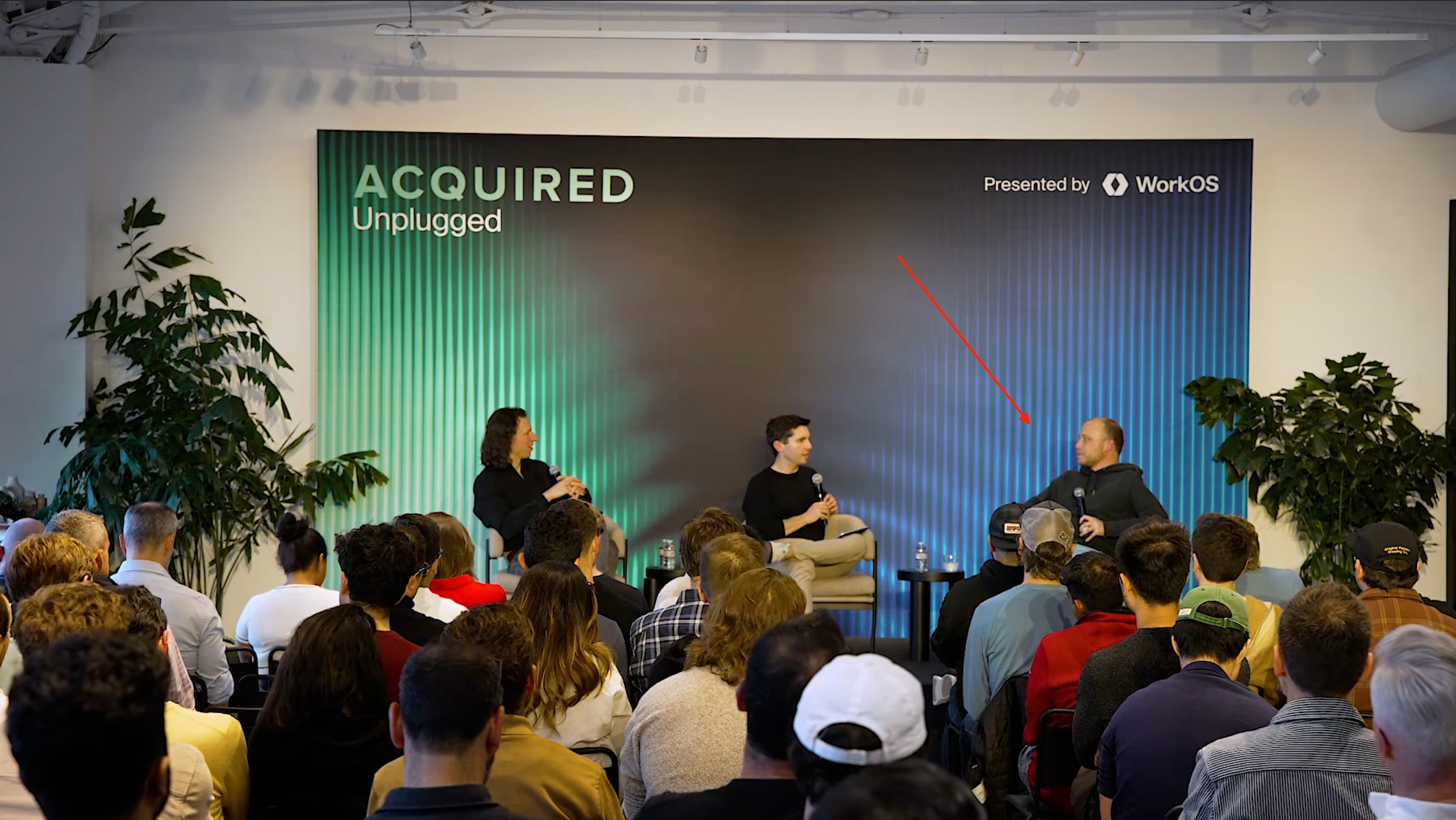
“I don’t prompt Claude anymore. I have loops running that prompt Claude and figure out what to do. My job is to write loops. And this is the transition we’re going to see for the rest of the year.”
Around the same time, Peter Steinberger posted this on X. It has 8.2 million views:

“Friendly reminder that you shouldn’t be prompting coding agents anymore. You should be designing loops that prompt your agents.”
These two people sit at the center of how agentic AI gets built, so they might know a thing or two. When they say the same thing at two of the most influential AI companies, it’s worth stopping to understand what they’re pointing at.
I’ve been trying to deal with this problem in a few ways: Scheduled Tasks in Claude Cowork, queuing prompts in Windsurf and Claude Code, and I haven’t tried “/goal” yet but it’s next. None of it felt like the right frame. This post is what I built once I found one.
This post breaks down loop engineering through 5 loops I built and ran in my newsletter workflow. Not theory. The reason most people haven’t made this shift yet has nothing to do with technical skill and that’s what I want to show you.
By the end of this post, you’ll have:
- A mental model for the 7 levels of AI automation, from typing a prompt to designing autonomous loops
- A clear picture of what separates a loop from a workflow, and why that gap matters
- 5 real loops built for a newsletter workflow, each one a slash command you can copy and adapt
- Videos of these loops running in the terminal
- 25 loop ideas across writing, research, code, and business workflows
- A one-question framework for deciding whether your workflow is ready for loops
But first, we need to understand what we’re moving away from.
What Prompting Actually Is
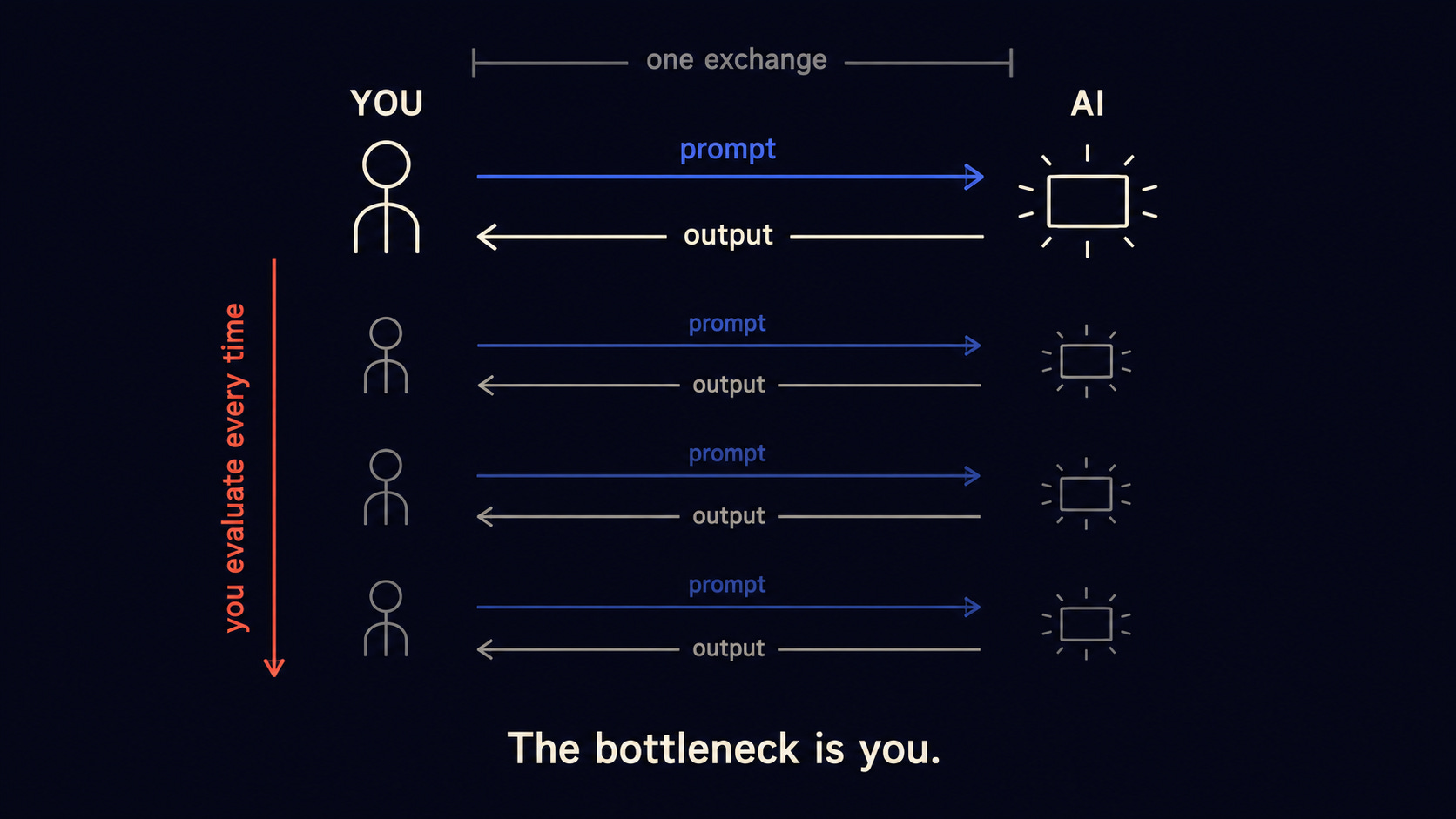
When you prompt an AI, you write something, the model responds, and you decide what to do with it.
You’re in every step.
You write the prompt. You read the output. You decide if it’s good. If it’s not, you write another prompt. You read that output. You decide again.
This works. It produced a lot of value for a lot of people. But there’s a ceiling on it that doesn’t get named often enough: you cannot step out of it.
The model does one pass. You evaluate. The model does another pass. You evaluate. But you only have so many hours and so much attention.
Most of what people call “agents” today is still this, with more steps. A workflow that goes Research → Draft → Edit is three prompting steps stitched together. You or a script triggers each one. The model never decides whether it did a good enough job, something external always makes that call.
Call it an agent if you want. The ceiling is the same.
The next thing I’m going to describe only makes sense if you see why a workflow hits that ceiling, just later.
What Loop Engineering Actually Is
A loop removes you from the middle.
It has one property that a prompt and a workflow don’t: the model evaluates its own output and decides whether to try again.
Here’s the anatomy:
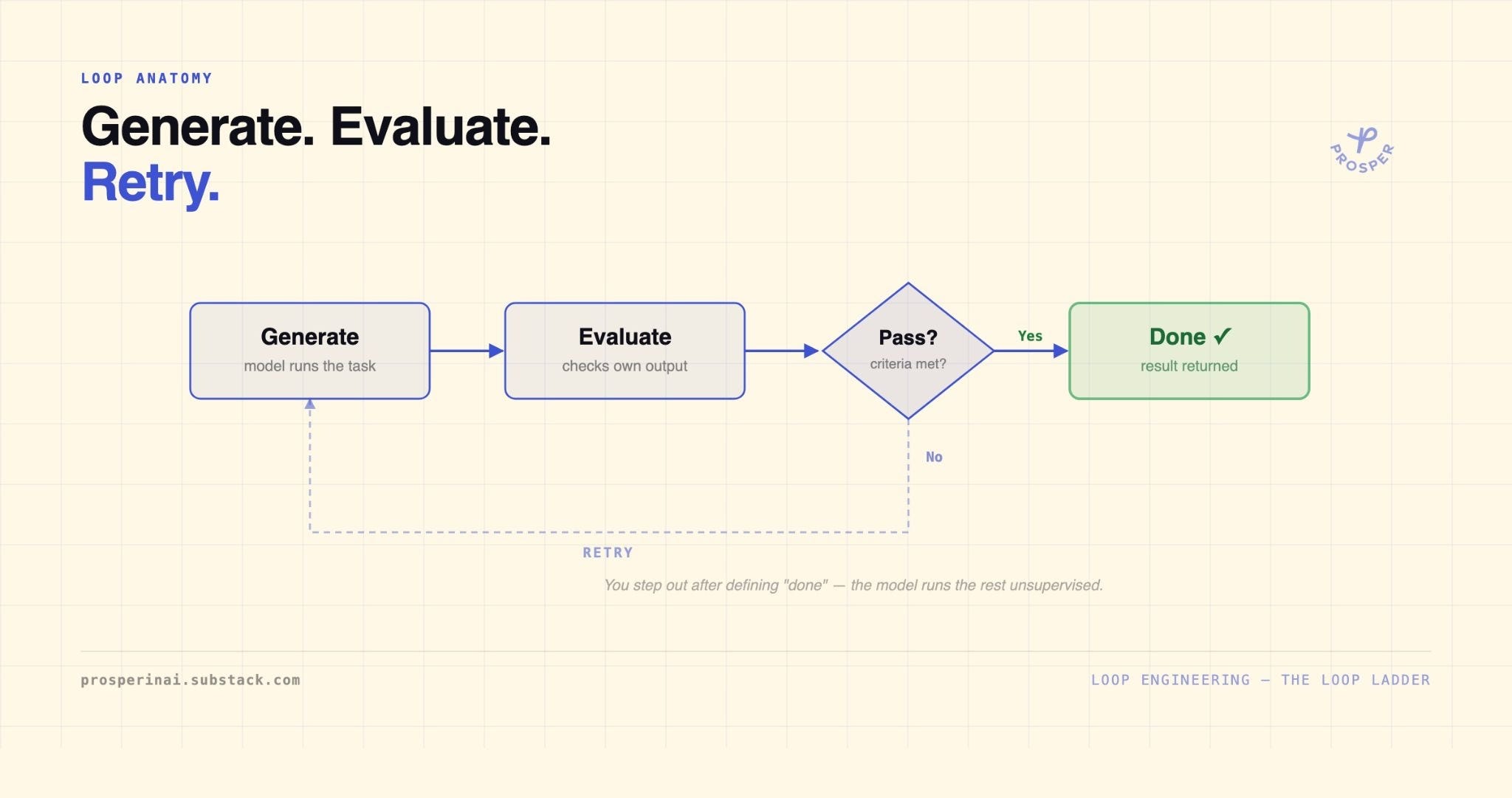
Generate, evaluate, retry if needed, stop when it passes.
This reminds me of skill-creator skill that Anthropic created where Claude evaluates its own outputs and runs tests to see how good the skill is and it loops through a couple of tests to improve the skill.
The word that matters is unsupervised. Between Generate and Done, you don’t have to do anything. The model runs, checks its own work against criteria you defined upfront, and either finishes or tries again.
Prompting and workflows require you between every step. A loop only requires you at the start (define what “done” looks like) and the end (receive the result).
This is why Boris said his job changed. Writing a prompt is one action. Designing a loop means defining:
- What to generate
- What criteria the output gets evaluated against
- What the pass threshold is
- When to stop
That’s how systems work. It’s a different skill than prompting.
If you want to see how Anthropic’s own engineers work I wrote a deep dive on it with 17 tactics they use:

The mechanism is clear. What’s less obvious is why this only became practical recently.
Why Loop Engineering Works Now
The concept isn’t new. Technically. What changed is whether models are capable enough to make it work. Four things crossed a threshold at roughly the same time.
Models can now evaluate their own work
Earlier models were poor self-reviewers. Today, a model can read its own output and spot problems:
- A bug in code
- A banned word in a draft
- A missing metadata field
- A weak argument
That self-evaluation is what makes the Evaluate step in the loop diagram work. Without it, a loop produces the same output on every retry. The evaluation is the engine.
Tool use became reliable
A loop that generates text and evaluates text is useful. A loop that generates code, runs the tests, reads the failures, fixes the code, and runs the tests again is a different category of thing entirely.
Modern models can take real actions:
- Search
- Read files
- Run code
- Write to documents
That capability is what turns “evaluate and retry” into a workflow replacement.
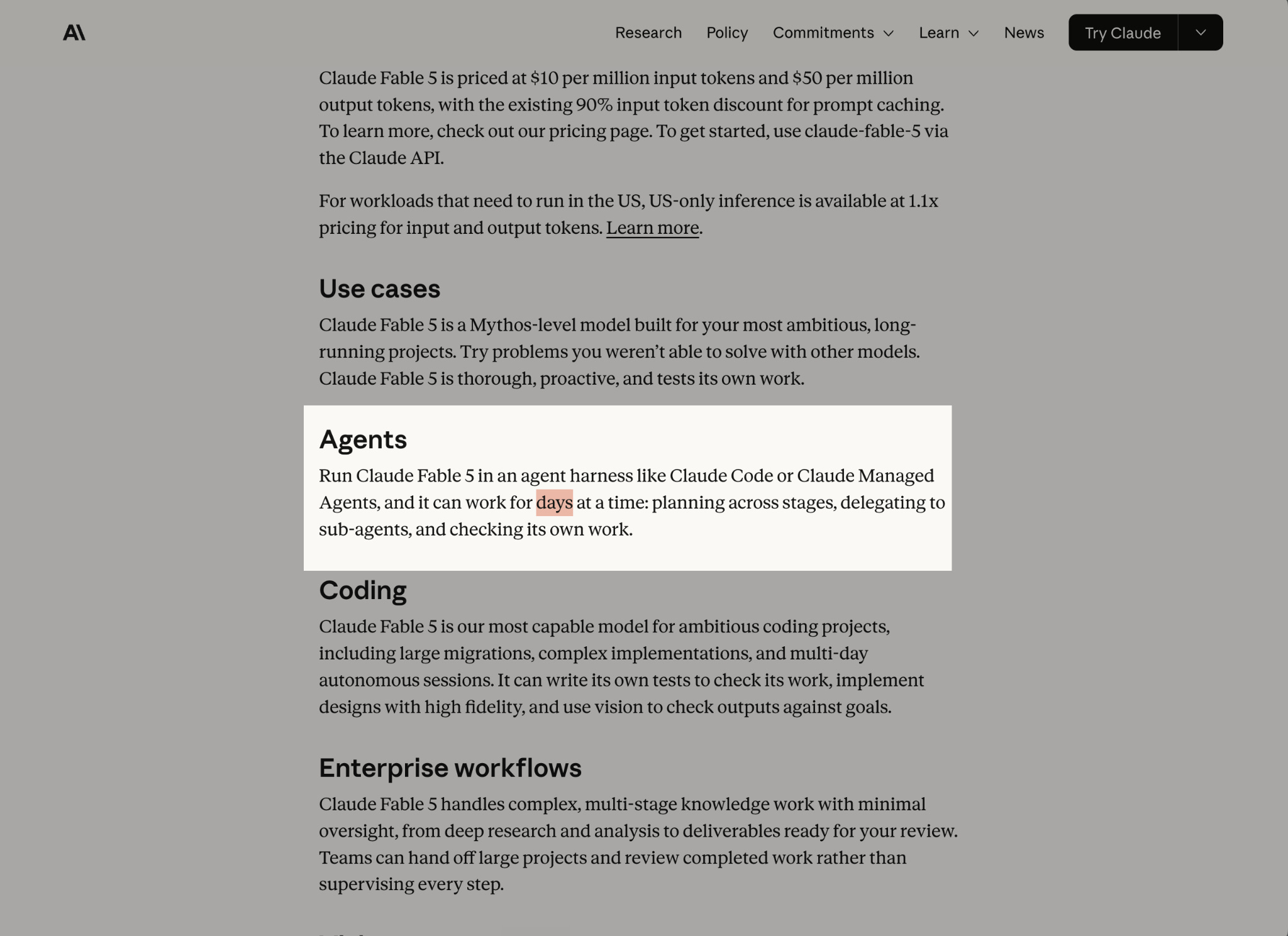
Plus, the models now can do it for much longer, look at how long can Claude Fable 5 work:
Context windows got large enough
A loop that forgets what happened in the previous iteration isn’t much of a loop. The model needs to hold onto:
- The original goal
- The previous attempt
- The evaluation result
- The criteria for success
Today’s context windows can do that across multiple iterations without losing the thread. That persistence is what makes iteration compound instead of reset.
The economics changed
Running 10 attempts at something used to mean 10x the cost. Today, 10 AI calls often costs less, with caching and other techniques. So the case for loops and automations becomes stronger.
That’s the why. Now here’s where YOU are in the progression.
The Loop Ladder
Understanding why loops work now is one thing. Knowing where to start is another. Not every workflow is ready for loops, and the mental jump from “I prompt Claude” to “Claude prompts loops” is bigger than most people realize. There are real intermediate steps.
Here’s how I think about the progression:
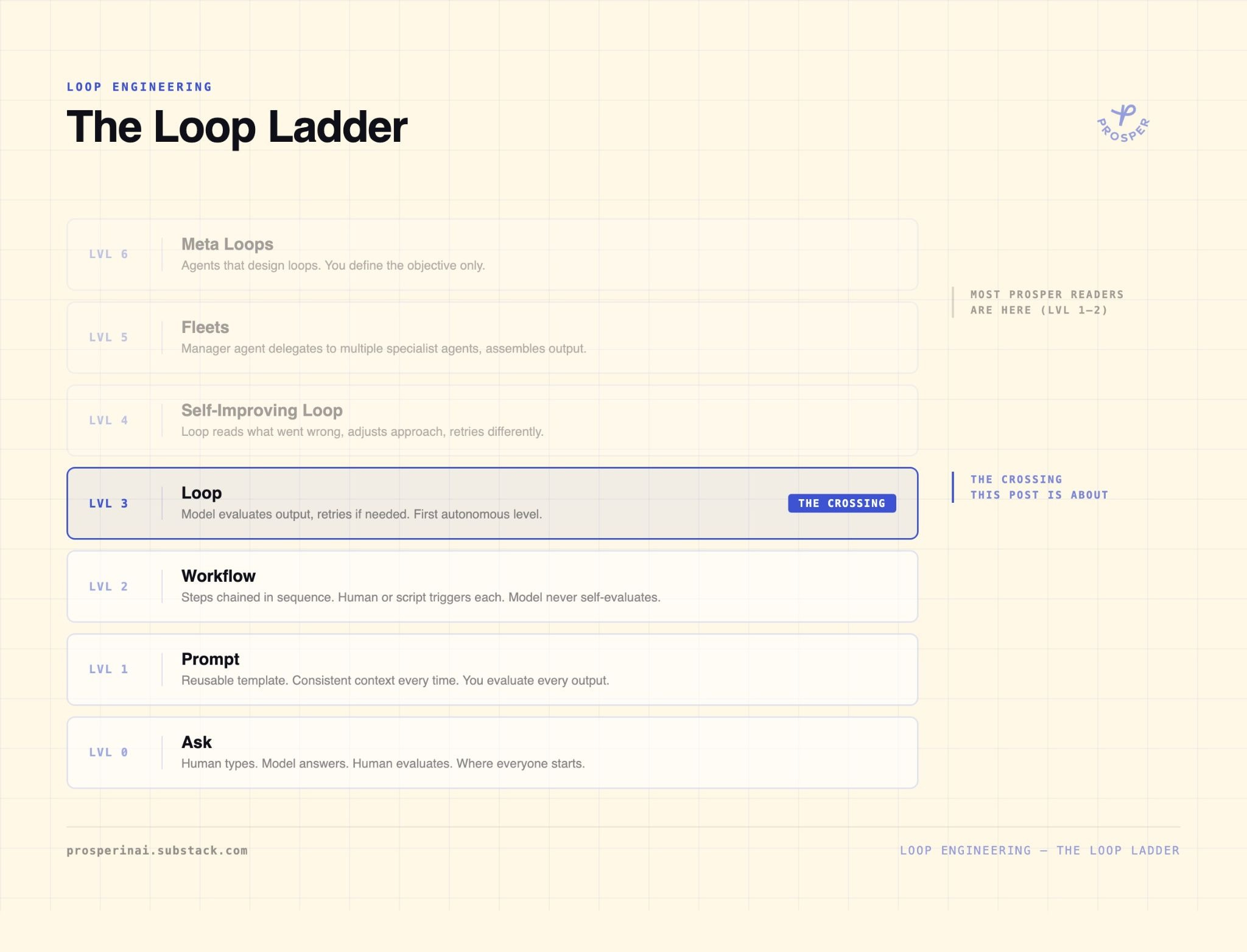
Level 0 - Ask
You type. The model answers. You evaluate. This is where everyone starts and, honestly, where a lot of people stay. That’s where we were in the beginning of the AI explosion.
Level 1 - Prompt
You build a reusable prompt: a template, a Claude project, a CLAUDE.md (or AGENTS.md) file. The model gets consistent context most times. You’re still evaluating every output, but your setup work compounds.
Level 2 - Workflow
You chain steps together. Research → Draft → Edit. Each step has its own prompt. You or a script triggers each step in sequence.
This is what most people call an agent. The model never decides whether any step was good enough, it executes and hands off.
Level 3 - Loop
This is the first genuinely autonomous level.
The system runs a step, evaluates the output against defined criteria, and decides whether to retry without you in the middle. You defined “done” upfront. The loop decides when it’s there.
This is what Boris and Peter are talking about.
Level 4 - Self-Improving Loop
The loop does more than retry. It reads what went wrong, adjusts its approach, and tries again differently.
Write → Review → Fix specific violations → Review again → Fix remaining issues. The output improves through real iteration.
Level 5 - Fleets
One agent manages many. A manager agent breaks a goal into pieces, then:
- delegates to specialist agents
- collects their results
- assembles the final output
Boris runs a mind-boggling amount of sessions across GitHub, Slack, simultaneously. I am extremely far away from this. I can’t even think about that level yet.
Level 6 - Meta Loops
Agents that design loops. You define the objective. An agent figures out what kind of loop to build, builds it, runs it, and reports back.
Peter’s follow-up X post points to this idea: “We’ll be talking about fleets that design your loops.”
Most Prosper readers are at Level 1 or 2. The goal of this post isn’t to get you to Level 6. It’s to get you to Level 3, which is the real crossing. Everything after that is iteration on the same underlying idea.
Level 3 requires one thing that Levels 0-2 don’t: a precise definition of what “done” looks like. More on that after the paywall.
Here’s what I built.
