

I Dug Into the Files Between Claude Code and Cowork. Here’s Why Your Setup Doesn’t Travel
The split is intentional. Here’s how to set up both surfaces right.

Claude Code is my primary surface, it’s where I build everything for Prosper. But a lot of Prosper readers work in Cowork, so I test it constantly enough to know both systems from the inside. I wrote about the terminal vs desktop app difference just a couple of days ago.
This post covers what I found when I looked underneath both surfaces. Claude Code and Cowork run on separate config systems. The way Anthropic built these products is for each surface to have a different level of control. Once you understand what belongs on each side, both get a lot easier to use.
Let’s imagine this scenario...
You spend weeks setting up Claude Code:
Your CLAUDE.md
Your slash commands
Your skills
Your permissions
Your hooks
Then you open Cowork expecting the same context to be there, but it’s not there. None of it carried over.
Your Claude setup doesn’t travel between surfaces.
That’s at least what I thought, for months...before I realized something.
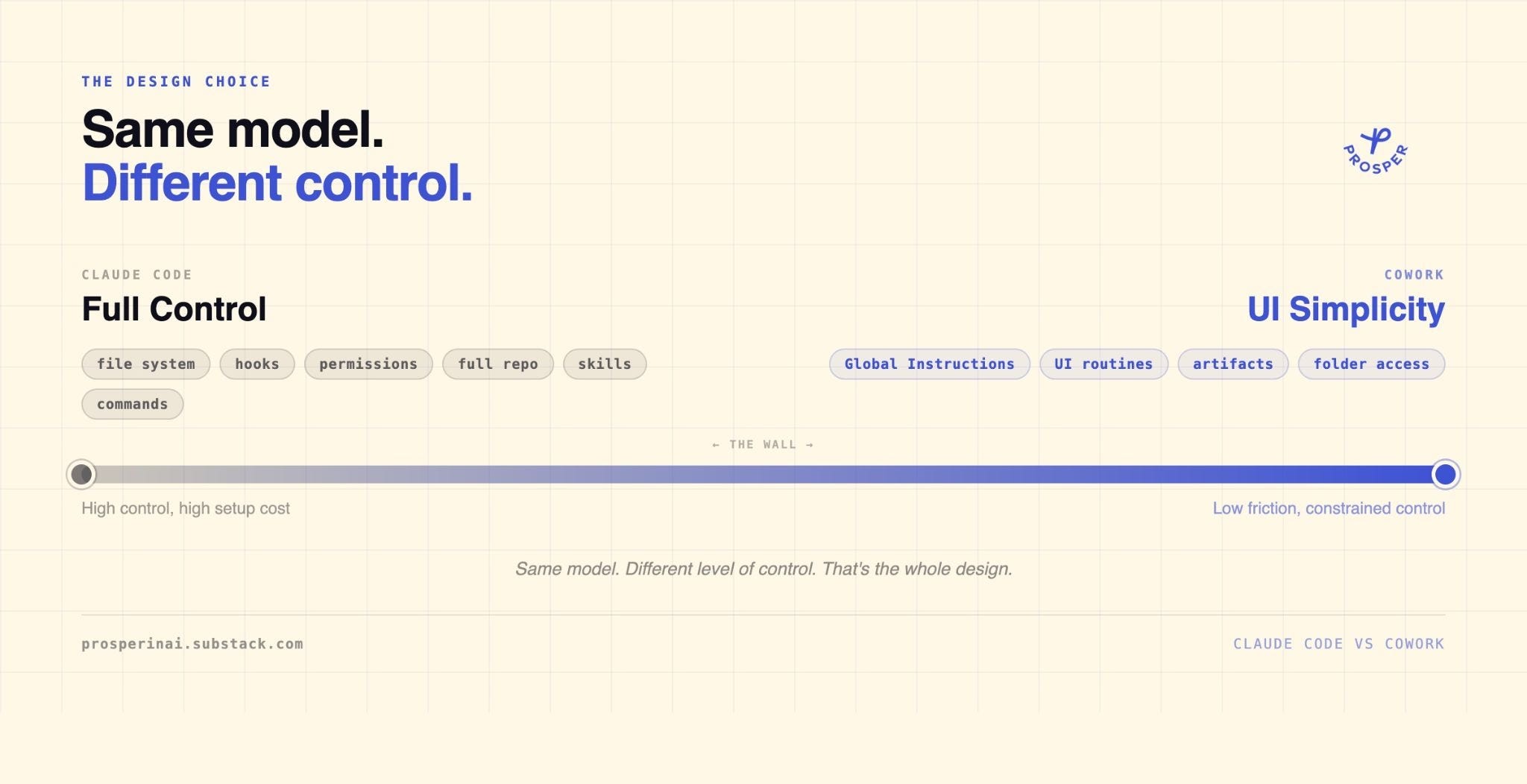
Claude Code and Cowork are built for different levels of control.
Claude Code gives you the file system:
Hooks
Permissions
Skills
Commands
The whole repo
Cowork gives you a UI that abstracts most of that away. The config that makes Claude “yours” in Claude Code has no equivalent in Cowork by default.
The moment it clicked was a pure Cowork problem that had nothing to do with Claude Code. I had a scheduled task that kept erasing its own instructions and I couldn’t run it. I’d set it up through the UI, it would work once, then the instruction would disappear.
I dug into the local folder where Cowork stores scheduled routines, “~/Documents/Claude/Scheduled/”, and found the SKILL.md file for that task. The instruction was already there, but the Cowork UI wasn’t seeing it. I erased it, then put it back, and it worked.
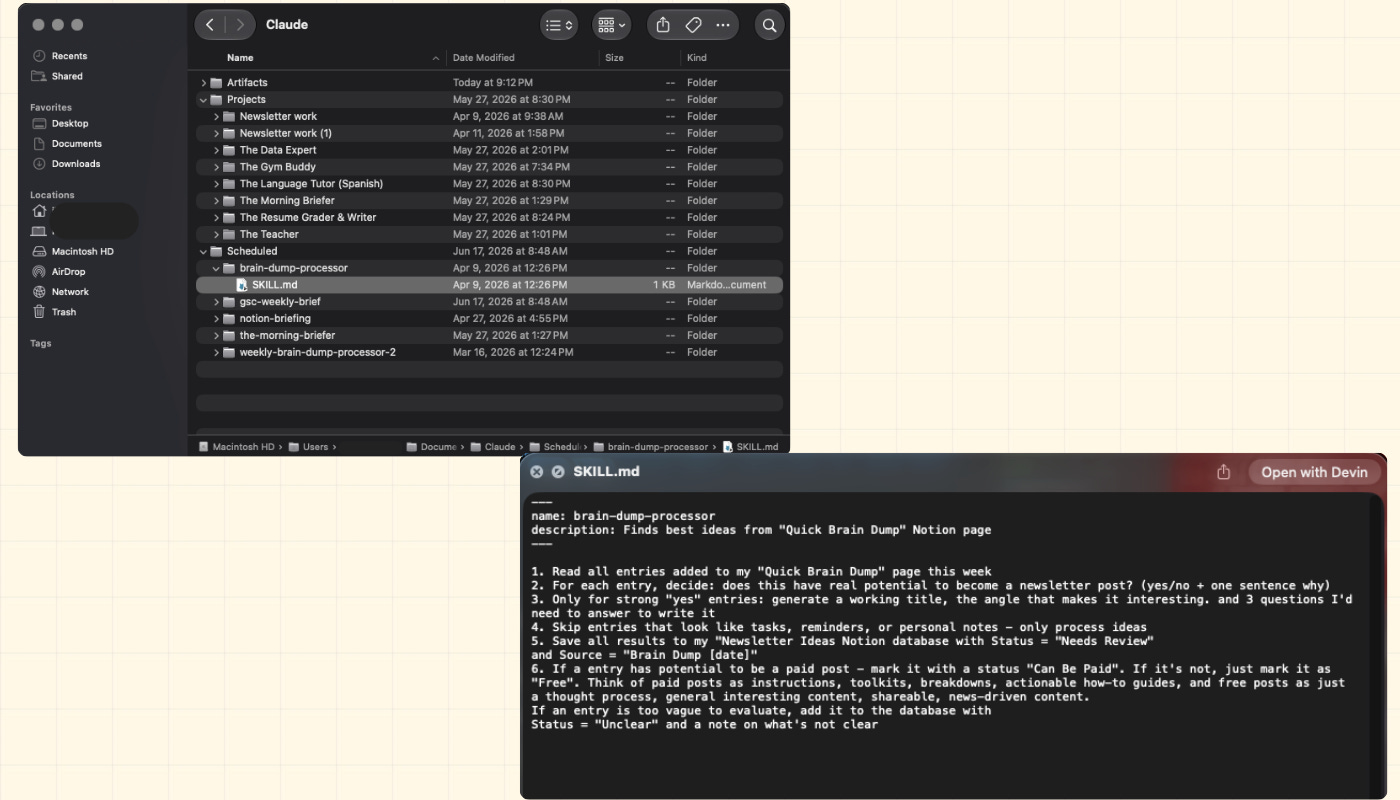
I am sure there was probably a fix in the making from the Anthropic’s team, but that’s what worked for me in that case.
Cowork was running on files the whole time. The UI just didn’t show me where they lived.
Most people who hit this wall never go looking for the files. They assume the wall is a temporary problem.
In this post, I am going to share with you:
A clear map of what actually lives on each side of the Claude Code / Cowork wall
The reason Global Instructions is Cowork's user-level CLAUDE.md, why Cowork also has a project-level CLAUDE.md layer, and why copying your Claude Code setup into either one breaks things
The exact folder where Cowork stores its config on disk, and how to edit it directly when the UI won’t cooperate
My actual weekly split between the two surfaces, and which tasks go where
A skill that scans your CLAUDE.md and flags every reference that would break in Cowork
A skill that generates a paste-ready Global Instructions block from your CLAUDE.md
Let’s look into all of it.
The assumption most people make
The conventional wisdom sounds reasonable: the same Claude should mean the same setup everywhere. People hit the wall and assume it’s a temporary limitation. Once Anthropic adds cross-surface config sync, you’ll get your full Claude Code setup inside Cowork’s easier interface, and the split becomes unnecessary. Maintaining two configs is just the cost of an unfinished product.
That’s the assumption. I held it myself for a while. Then I looked at what Cowork actually is and realized the wall isn’t waiting to be fixed.
The wall isn’t temporary
The wall is structural. Cowork’s value is the UI simplicity. For what Cowork is capable of, you can’t beat that.
You can’t port Claude Code’s setup into it because the file paths, hooks, and permissions would defeat the entire point of the simpler surface.
Anthropic built Cowork for people who don’t want to open a terminal. That constraint shapes everything underneath. These two surfaces are essentially built for different levels of control.
I run Claude Code as the operating system for Prosper. Every skill, every command, every rule, every file path lives there. I’ve written about this before: the Context Stack that loads at the start of every session, the CLAUDE.md cage match that taught me how to structure it. I run Cowork for:
Scheduled routines
Folder-based newsletter work
Artifacts I can show to people who are afraid of the terminal
Different jobs, different surfaces, different config. Here’s what actually lives on each side of the wall.
How Claude Code and Cowork Config Systems Actually Differ
Here’s what lives on each side.
