

How I Connected NotebookLM to Claude Code and Found a Better Way to Build Skills
Turns out NotebookLM has exactly what your Claude skills have been missing.

Do you use NotebookLM the way most people do? Upload a PDF and website links. Ask it questions. Maybe generate an audio overview to listen to on a walk. It’s genuinely good for that - studying a topic, learning from documents, getting answers that only come from what you gave it.
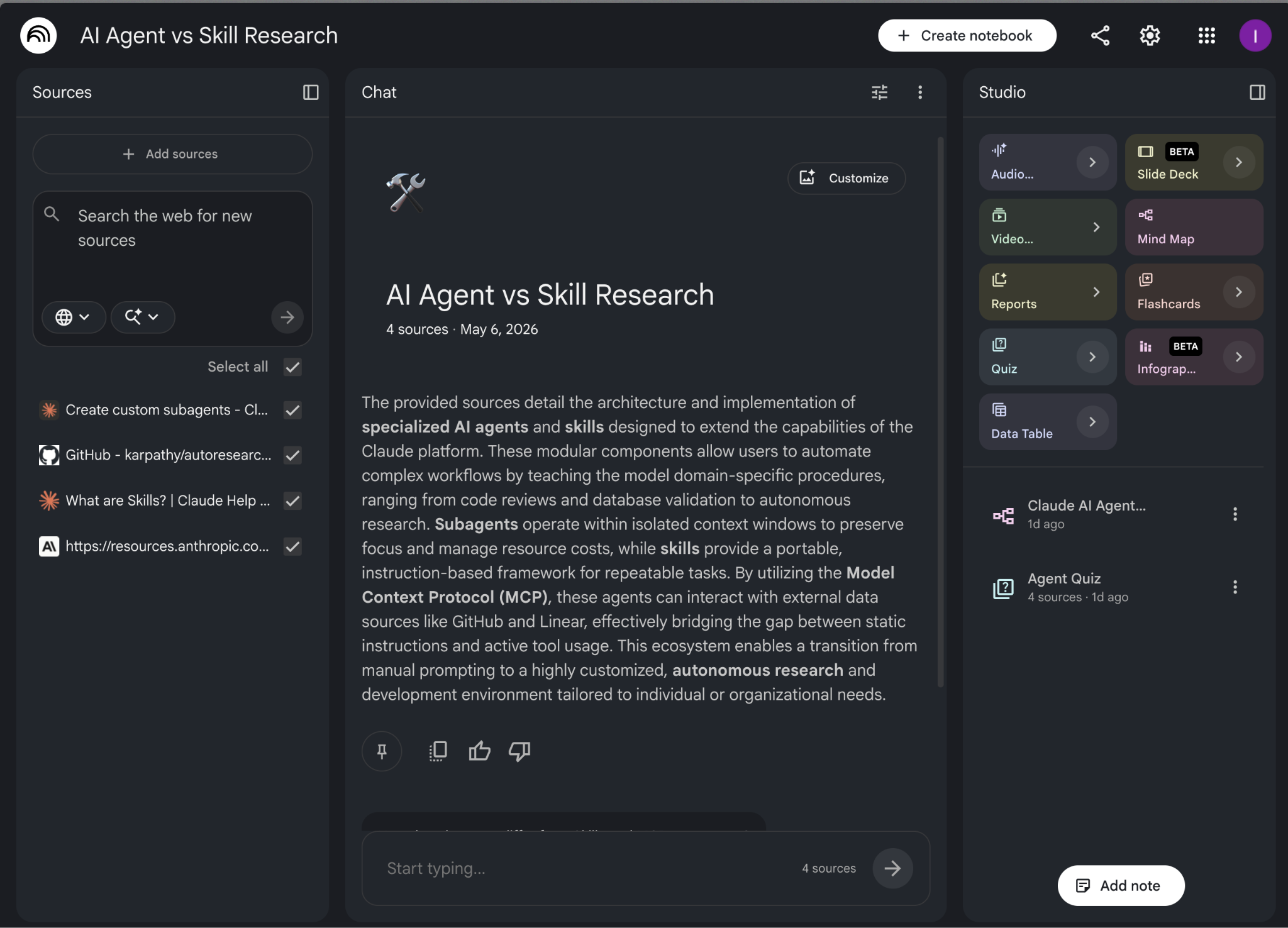
That’s how I’ve been using it too until I figured out something.
What if you could query that same notebook from your terminal? What if you could pipe the answers directly into Claude? What if Claude Code could talk to your notebook and what it pulls from there is exactly what your skills have been missing?
NotebookLM becomes the research layer your skills are built on with this workflow.
I built a Claude skill using this exact workflow. The skill scored 4/10 on Skill Creator’s eval. After one iteration loop based on NotebookLM data, it hit 10/10. That’s the full loop: sources in, skill out, better each time you run it.
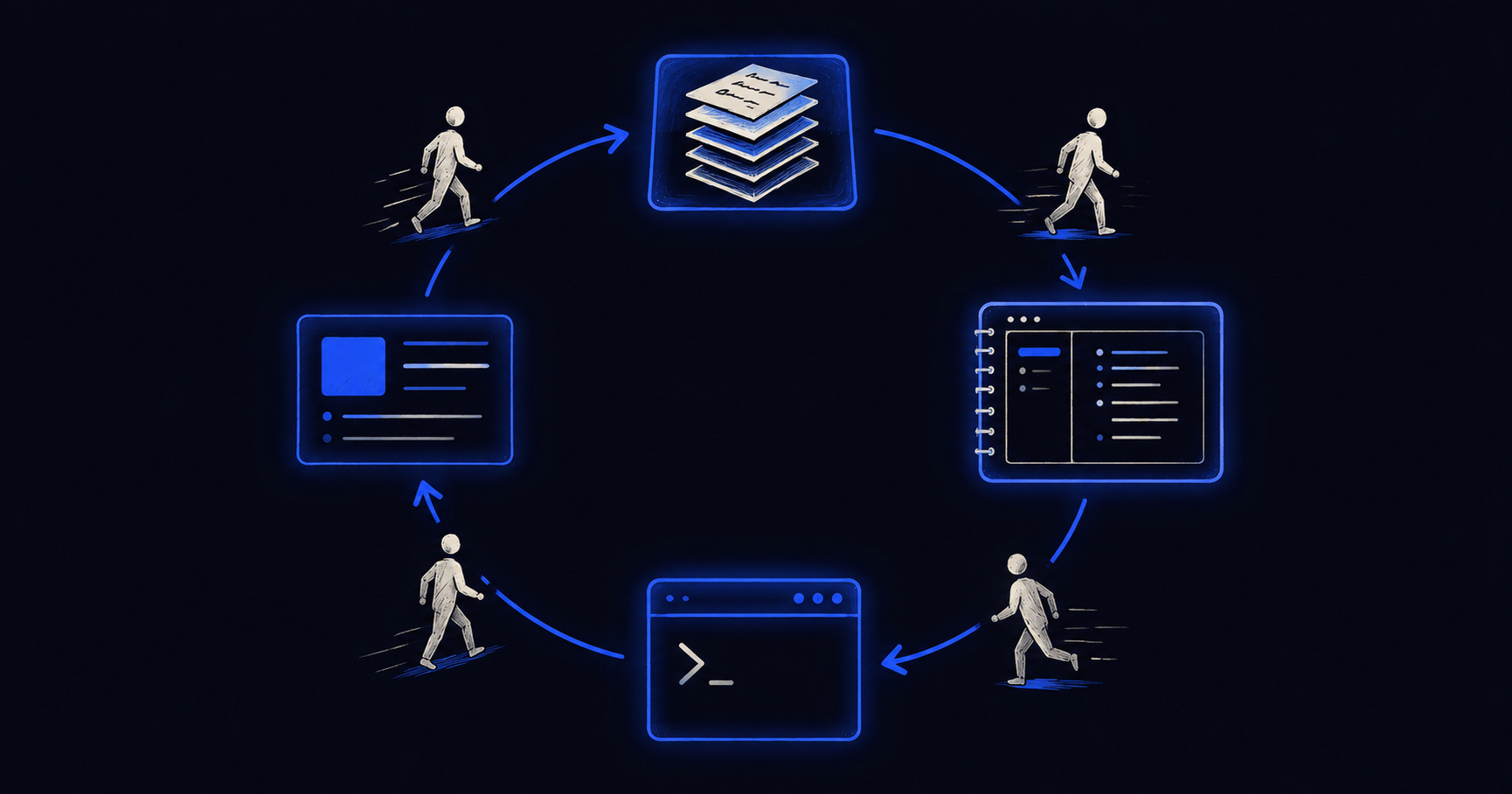
Here’s what you’ll get from this post:
- How to install notebooklm-py and run it inside Claude Code Desktop
- How to build a research notebook and add sources that actually produce useful output
- How to run grounded queries against your notebook from the terminal
- The quiz mechanism: how NotebookLM generates your eval set from the documentation so you’re not writing test questions based on your own assumptions
- The mind map mechanism: how to turn the JSON output into a SKILL.md skeleton in minutes
- The full Skill Creator loop with NotebookLM data, including the 4/10 → 10/10 proof with screenshots
- How to apply the same workflow in any domain and anyone building niche skills from a real knowledge base
- The finished agent-vs-skill decision skill I created in this post, ready to download and drop into your project
Why Claude alone isn’t enough for skill building
Claude's decent size context window sounds like a good deal until you're researching across 12 sources (including PDFs). NotebookLM gives you 100 notebooks, 50 sources per notebook, and 500,000 words per source up to 200MB for local uploads, no page limit. Everything stays available for every query, without any of it getting displaced by conversation history and without it taking up your context budget. The daily ceiling is 50 chat queries and 3 audio generations.
But Claude Code answers from training data, not from sources. When it tells you how agents work, you can’t tell whether that answer comes from current Anthropic documentation, from something it absorbed during training, or from a memory it built from your previous interactions. For a one-off task, that’s fine. For a skill meant to run hundreds of times, the distinction matters.
Skills built from memory feel generic. You can’t point to why they work or don’t work. You can’t prove they cover edge cases. And when Skill Creator runs its evals, it finds the gaps fast.
NotebookLM solves the input problem. You give it the URLs, long PDFs, and it reads them. You query it like a research assistant who’s already read everything and can only answer from what’s in front of it.
The bridge between the two is notebooklm-py - a Python library that lets you query your NotebookLM notebooks directly from the terminal. Build the notebook from Claude Code Desktop, run your research queries from the same terminal, feed the output straight into Skill Creator. You never have to open NotebookLM once. NotebookLM does the reading. Claude Code does the building.
If you’re already hitting Claude limits before adding a new workflow, this is worth reading:
How to Stop Hitting Claude Limits. For Good.

You’re deep in a session. The context is loaded, the work is moving, and then:
Let’s start building.
Setting up notebooklm-py in Claude Code Desktop
notebooklm-py is a Python library that gives you programmatic access to NotebookLM. Install it, authenticate once, and you can run every NotebookLM function from Claude Code Desktop’s terminal.
Why Claude Code Desktop and not a regular terminal? Clean screenshots for walkthroughs. The commands are identical either way.
Three commands to get running:
pip install “notebooklm-py[browser]”

playwright install chromium

notebooklm login
The `notebooklm login` command opens a browser window. Sign in with the Google account you use for NotebookLM. Close the browser when it’s done. The session is saved locally at `~/.notebooklm/storage_state.json` with owner-only file permissions. You won’t need to log in again unless it expires. The library uses browser-based OAuth, not your password. It doesn’t transmit credentials to any third party and doesn’t touch anything outside of NotebookLM. In my case, I asked Claude to run the commands, and both things were already installed, here it is:
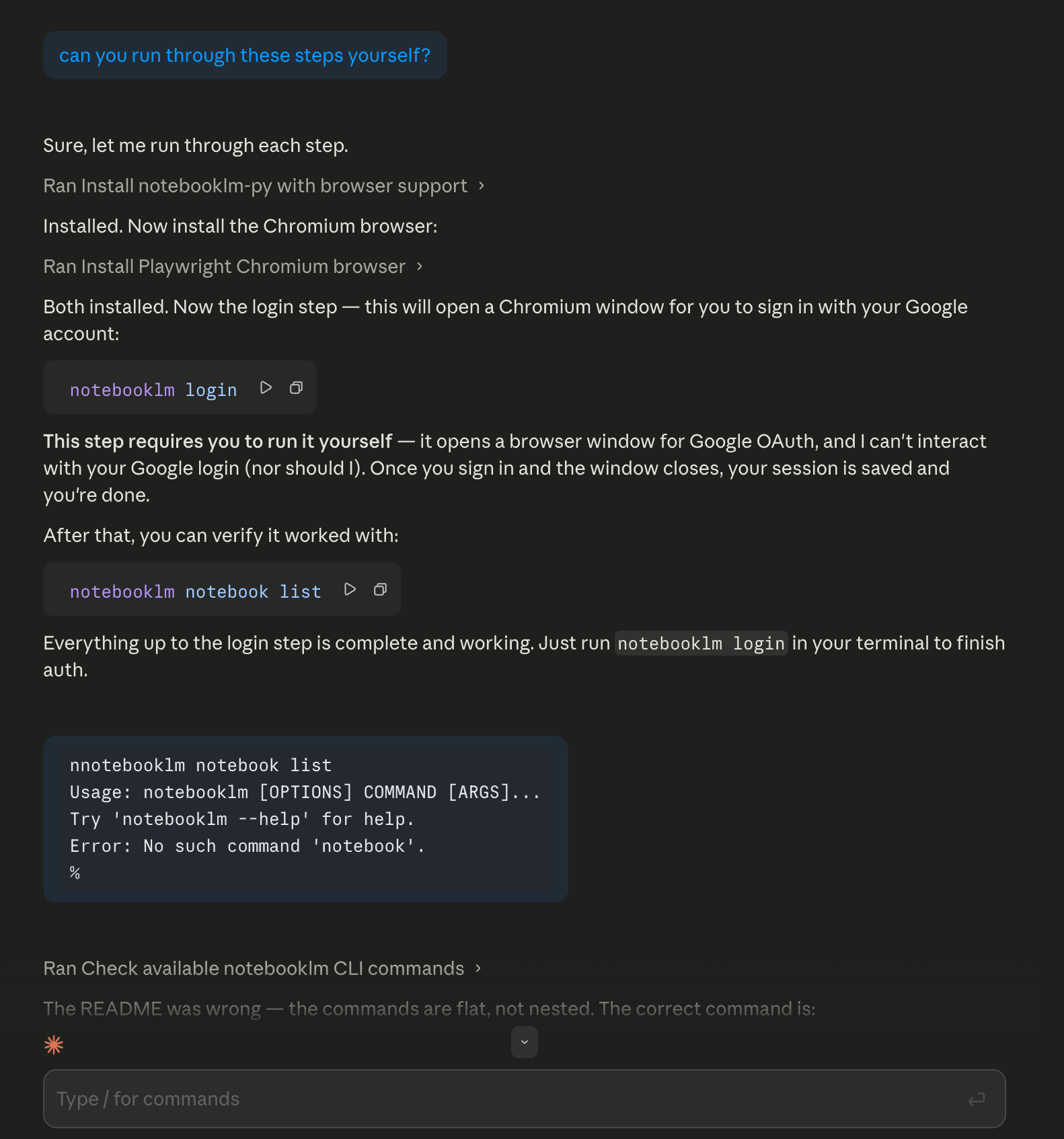
One thing: the README had a command error when I first ran this. Claude Code caught it and corrected the syntax automatically. If you hit an error on a specific command, check the repo’s README for the current syntax before troubleshooting further.
How to create a NotebookLM research notebook from the terminal
Here’s how you create a new notebook for your research topic directly from Claude Code Desktop, without opening NotebookLM once:
notebooklm create “AI Agent vs Skill Research”Name it after the skill you’re building. It should be specific enough that you can tell notebooks apart when you have several running. NotebookLM returns a notebook ID in the output.
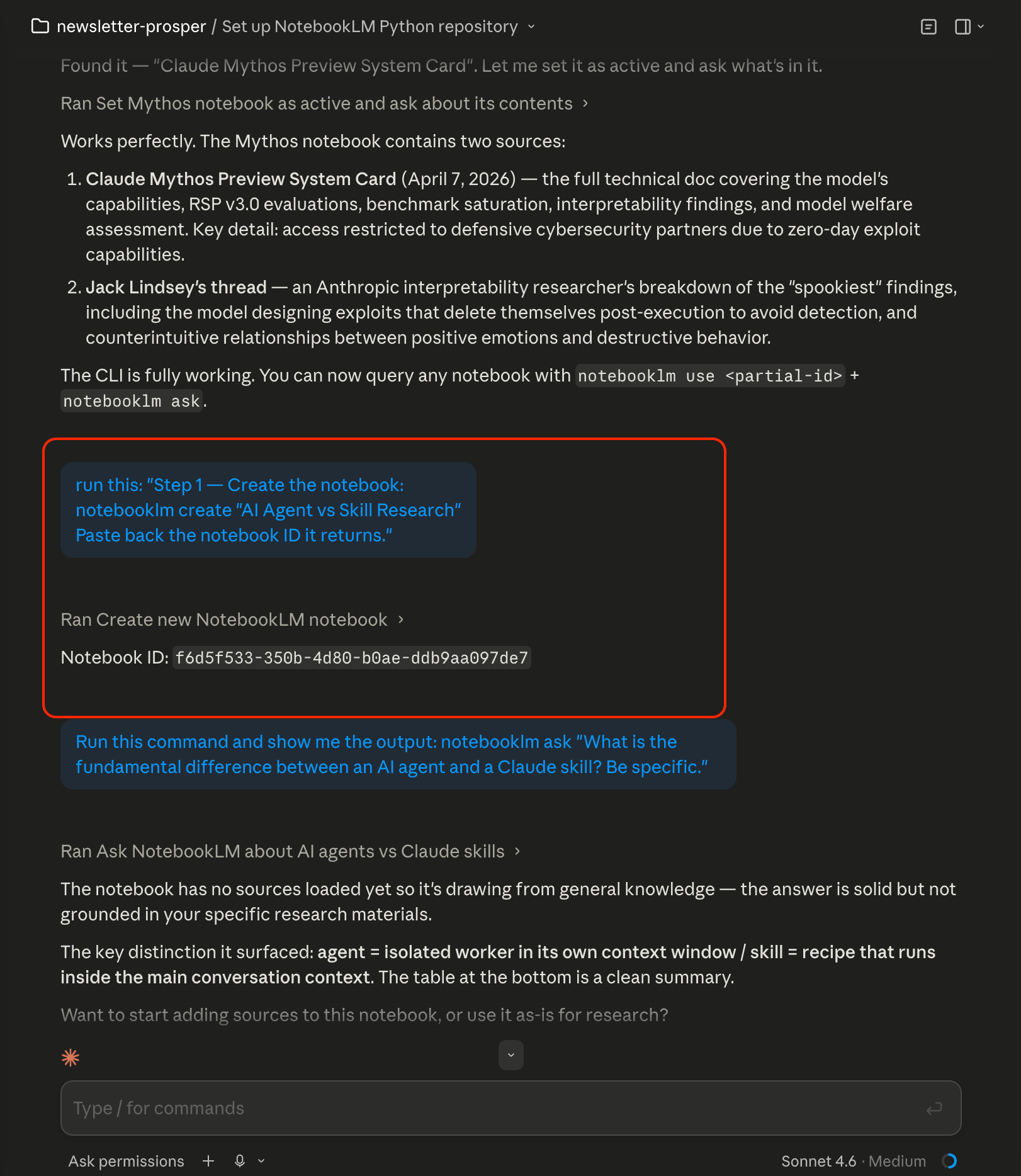
Copy it and you’ll use it for every command that follows:
notebooklm use <notebook-id>After that runs, now add your sources. For the skill I was building, an Agent vs Skill decision guide, I added 3 Anthropic-specific sources and 1 source for Karpathy’s Autoresearch repository:
notebooklm source add <url-1>

notebooklm source add <url-2>

notebooklm source add <url-3>

notebooklm source add <url-4>
I used URLs for this skill. If you’re working from PDFs, research papers, internal/external docs, the same command takes a file path. If it’s in your Downloads folder:
notebooklm source add “/Users/yourusername/Downloads/your-document.pdf”To get the exact path: on Mac, right-click the file in Finder → hold Option → “Copy as Pathname”. On Windows, Shift + right-click → “Copy as path” and you can use that after the `notebooklm source add` command.
Source selection matters more than volume. I considered adding IBM, Google, and Shopify pages on AI agents. Generic content from three different vendors would have contaminated the synthesis with definitions that don’t reflect how Claude specifically works. Three Anthropic documents: the skills guide, the complete skill-building PDF, and the subagents docs, plus Karpathy’s Autoresearch framework on GitHub. All four are directly relevant to how Claude agents work.
Specific sources → specific quiz questions. Generic sources → generic quiz questions. The eval set is only as good as what you put in.
Confirm everything loaded:
notebooklm source list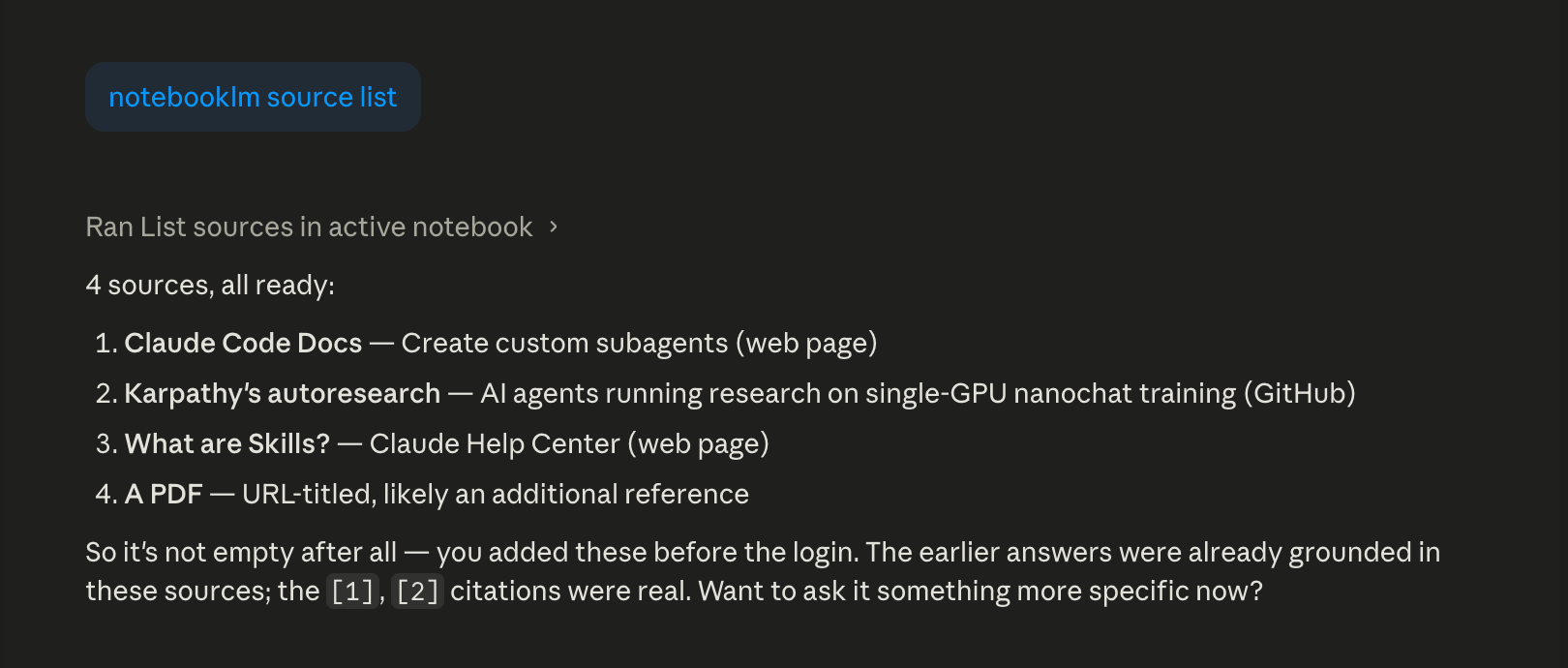
And here’s how it looks like in NotebookLM:
All four showing “ready” means NotebookLM has read and indexed them. You’re set.
How to run grounded research queries with notebooklm-py
This is where notebooklm-py earns its place. You query the notebook in plain language and get grounded answers, citations only from what you added, no inference from general training.
For a skill, I want to know: what’s the core distinction, when does each apply, where does the line blur, and what do people get wrong?
# Query 1 - The fundamental difference:
notebooklm ask “What is the fundamental difference between an AI agent and a Claude skill? Be specific.”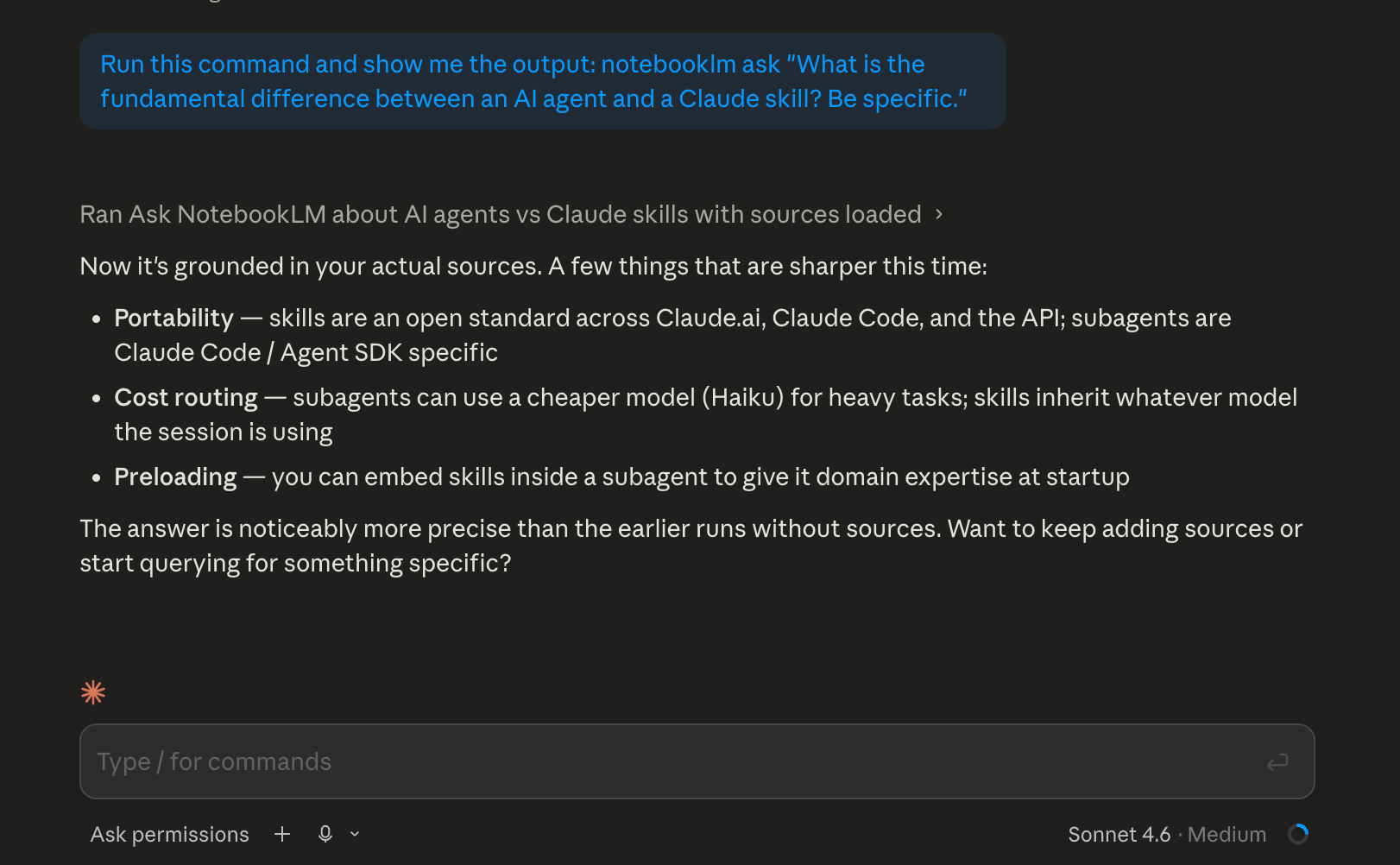
# Query 2 - When to use which:
notebooklm ask “When should you use an agent instead of a skill, and when should you use a skill instead of an agent? Give specific examples.”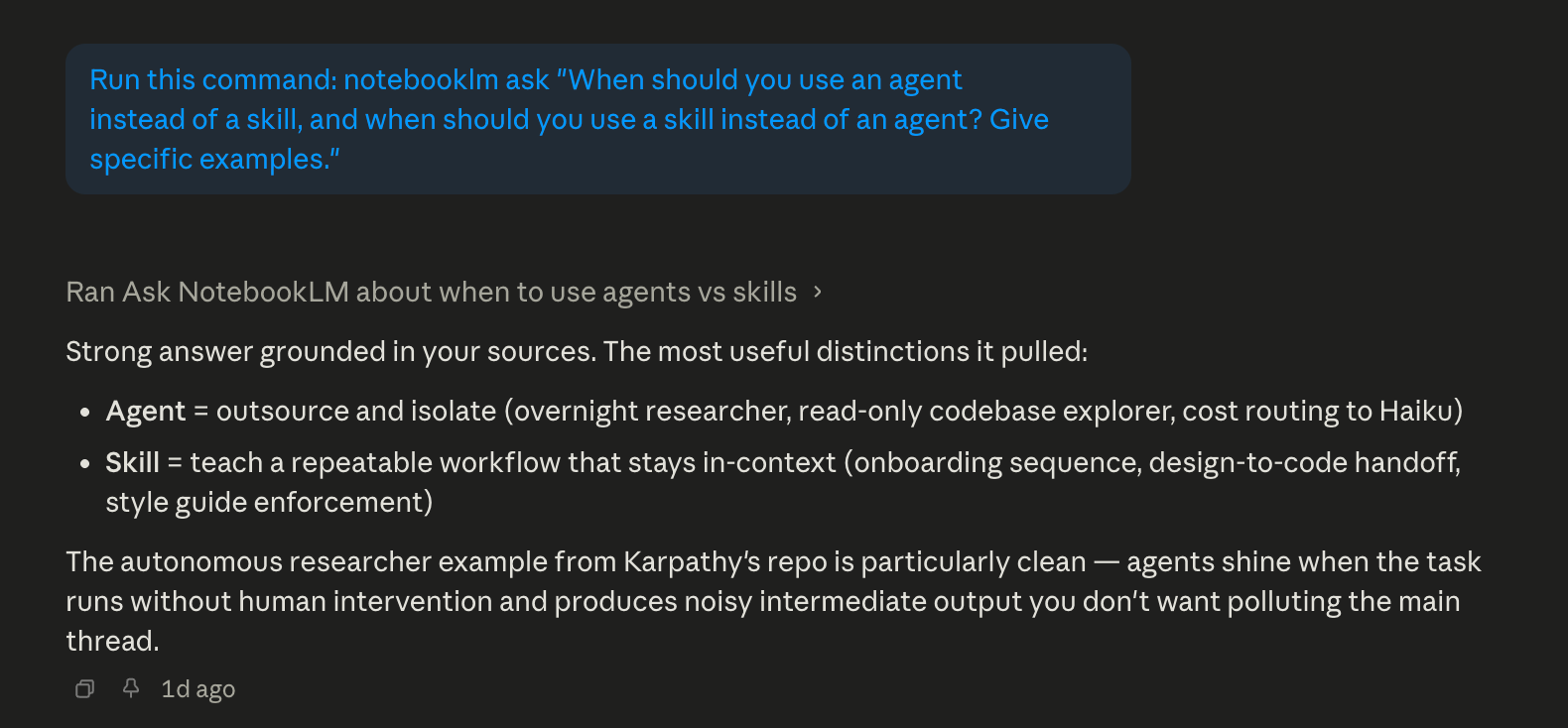
# Query 3 - Where the line blurs:
notebooklm ask “What situations make it hard to decide between an agent and a skill? Where do they overlap?”# Query 4 - The counterintuitive angle:
notebooklm ask “What do most people misunderstand about the difference between agents and skills?”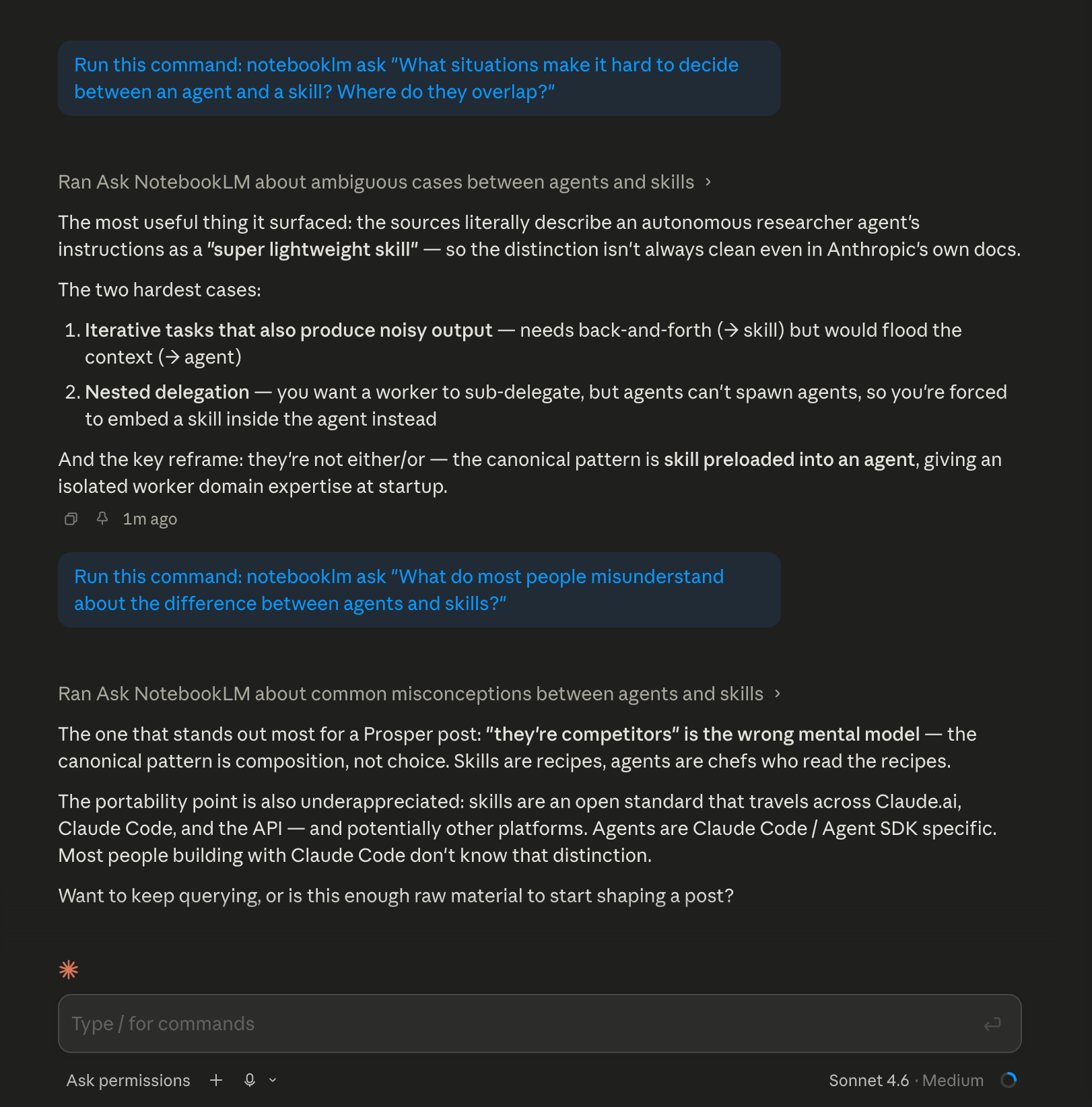
Claude Code Desktop showing query 3 and query 4 results
The output is grounded. When the answer says the autonomous researcher agent’s instructions are described as a “super lightweight skill”, that quote comes directly from the documentation you added, not from the model’s general memory.
This is your research phase. Four to six queries is usually enough to surface the key concepts, the edge cases, and the non-obvious patterns. When the answers start repeating, you’ve hit the ceiling of what your sources contain. That’s the signal to move on.
Alright, now let’s move to the main part of this workflow. Behind this paywall below, I will show you how I used a quiz that was generated from my sources, 10 questions I never would have written myself, as my eval set. A mind map as my SKILL.md skeleton. And a Skill Creator run that proved the gap: 4/10 on the first pass, 10/10 after one iteration. That’s the combination: NotebookLM generates the evidence, Claude Code builds against it, and you can apply it to your own niche. I’m also sharing the finished skill I built during this post, the agent-vs-skill decision guide, so you can download it and drop it straight into your project.
