

How Claude Code Caching Actually Works
What breaks your cache, the four settings that protect it, and a status line that shows your hit rate live.


Let’s look at this chart below:
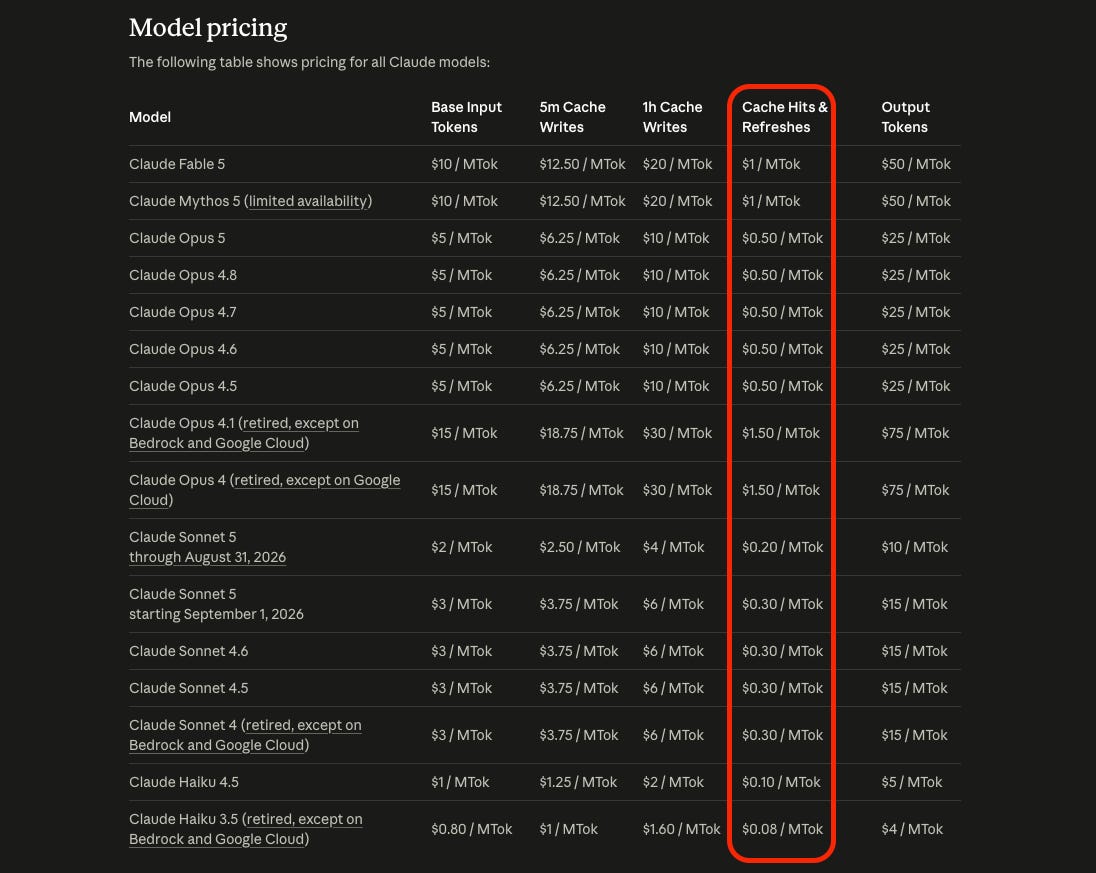
Doesn’t this pricing look enticing?
If I had to assume, most of us on Pro and Max plans here, not the API, but these numbers still apply to us because of how the usage limit works.
I got curious about how you actually land in that column, so I started digging in my own setup. I went back about 6 weeks in my history log and found 9,828 of my own Claude Code requests across 44 sessions and six projects.
We will get to that later, but first, let’s understand what caching is.
What caching is, in simple terms
Every time you send a message in Claude Code, your whole conversation gets sent again from the top:
The system prompt
Your CLAUDE.md
Every message you sent
Every tool result
This is just how LLMs were designed. The model remembers nothing in between the requests, so the entire history has to be re-sent to be re-read.
But that would be super expensive, so they came up with caching. The first time Claude processes your request, it gets stored. Next time you send a message, it picks up from that stored state instead of processing the whole conversation again, and that’s where you get those prices from the red circled column.
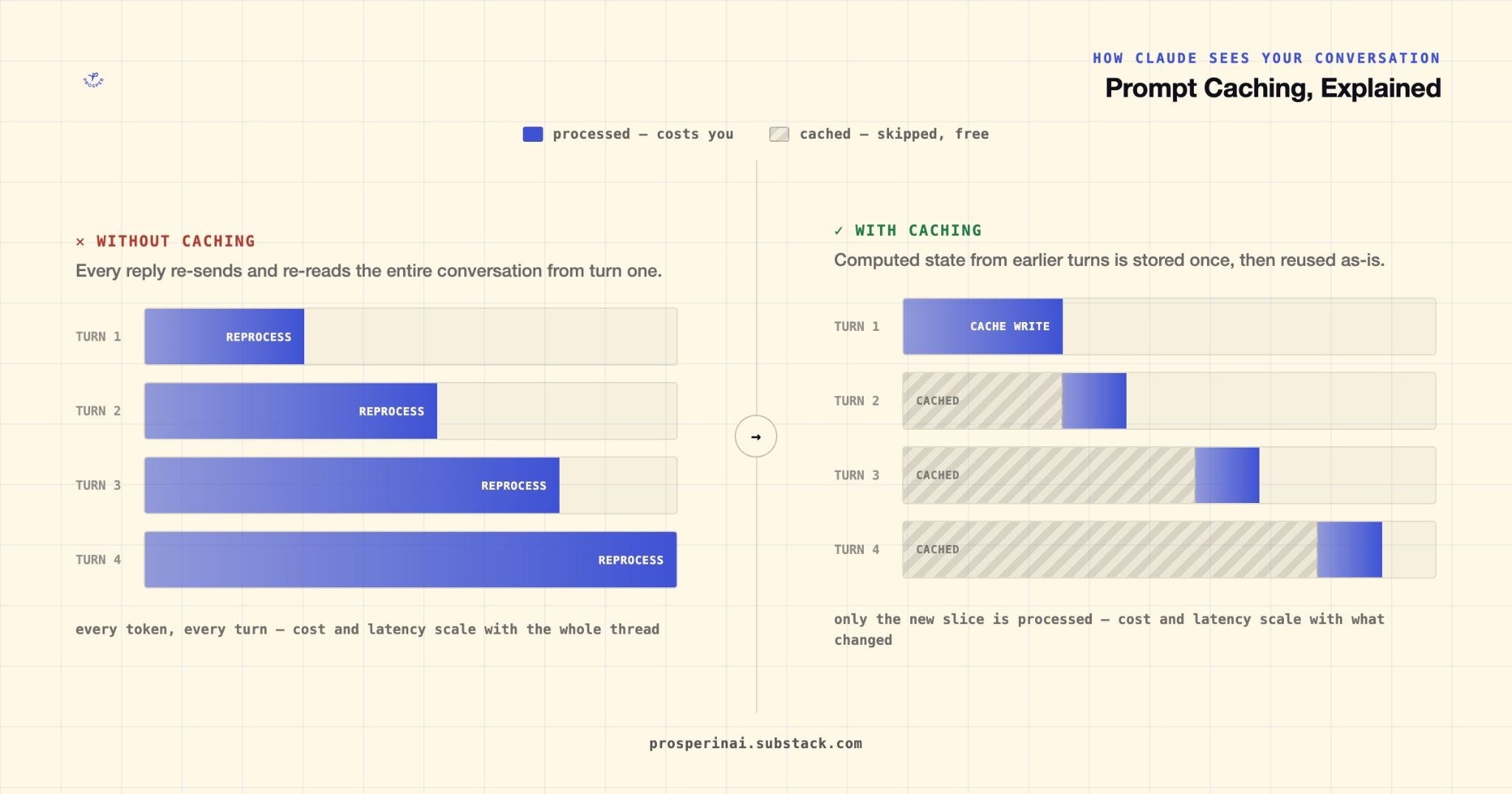
If we think about it, LLM does a ton of work when reading your tokens. Your usage limit measures that work and stores it as a cached state. So on your next message Claude picks up where it stopped instead of starting from the top.
The important part is that it has to match 100% starting from the very beginning of the request. If you change anything in the middle, everything after it gets re-read again. In LLM, each part depends on everything before it.
The stored state can’t live forever either. It has a timer, and it’s called a TTL (Time To Live). When the timer runs out, the state is discarded and then you pay full price with your next message.
Let’s get into my numbers now.
The number that made me pay attention
Across all of my 9,828 requests:
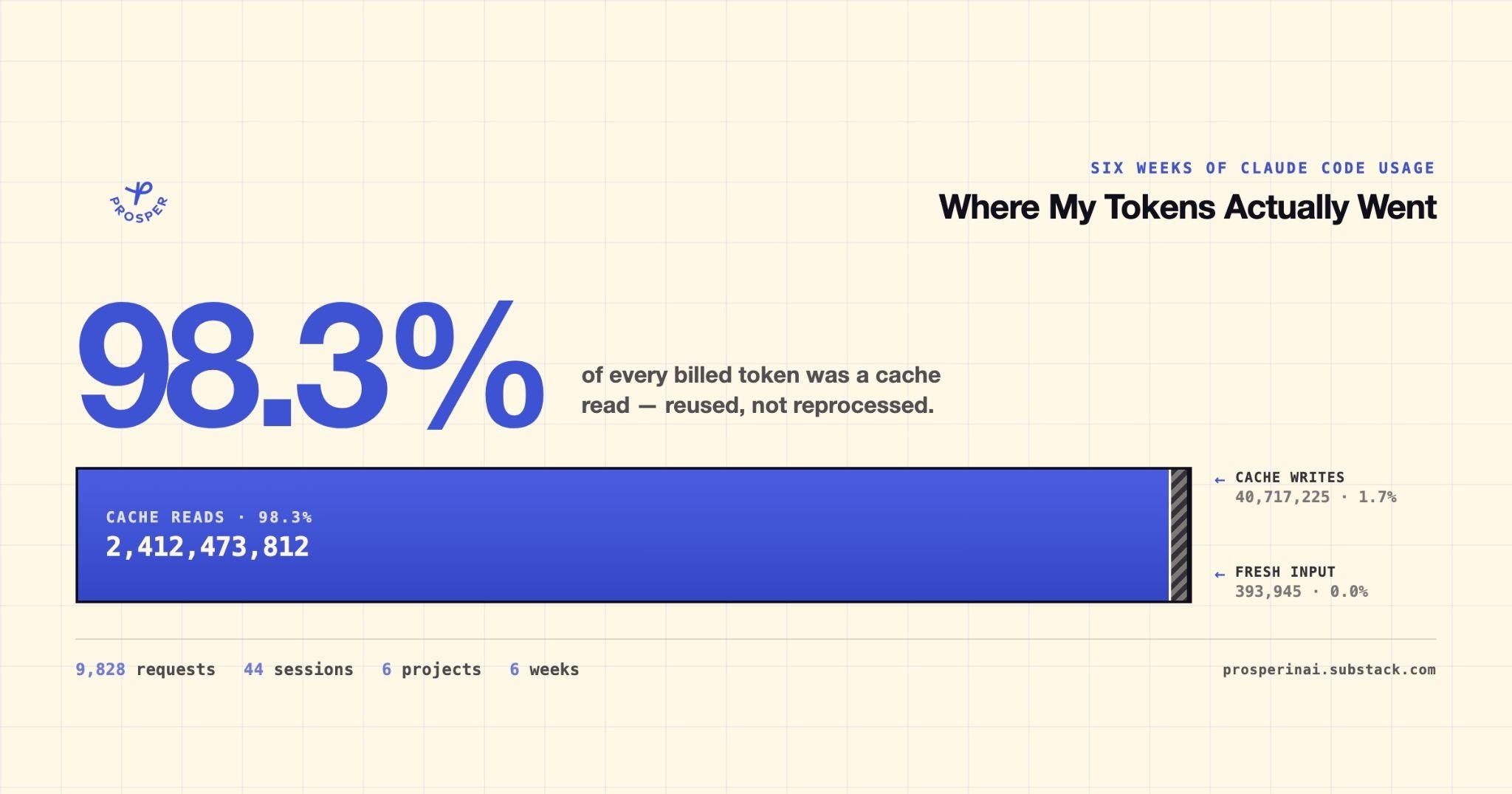
When I saw these numbers, I couldn’t believe it. 2B!?
A good example here would be writing a book, but with one rule - before you can add a sentence, you HAVE TO read the whole book from page one. On about page 10, I would probably give up.
So on sentence 1, you would read nothing and write one sentence. On sentence 2, you would read one and write one. On sentence 50, you would read 49 and write one. When you finish sentence 100, you have written 100 sentences and read 4,950.
You see how it just piles up?
So the write column stays small and the read column shoots up into the billions.
Your prompt is actually a very small fraction of that total, but it can hold a lot of weight. If you ask something very vague (remember those “Do X, make no mistakes”), and it will go hunting for a long time with tool calls and other things, usage limit goes ka-boom. Ask for something specific in the specific file, and you will be golden. It could be the same 50 tokens from you, but very different result and usage.
I’ve also written about 16 tactics for saving Claude tokens, and it’s a good post about how to optimize your usage, but I am about to share some more.
How long the cache actually lasts
For the longest time, I thought that people on Pro and Max plans only had a five minute cache, if they ever hit it at all. So then I started looking into the documentation.
I created a little script to check what type of cache I was hitting and I was a bit shocked to look at these numbers:
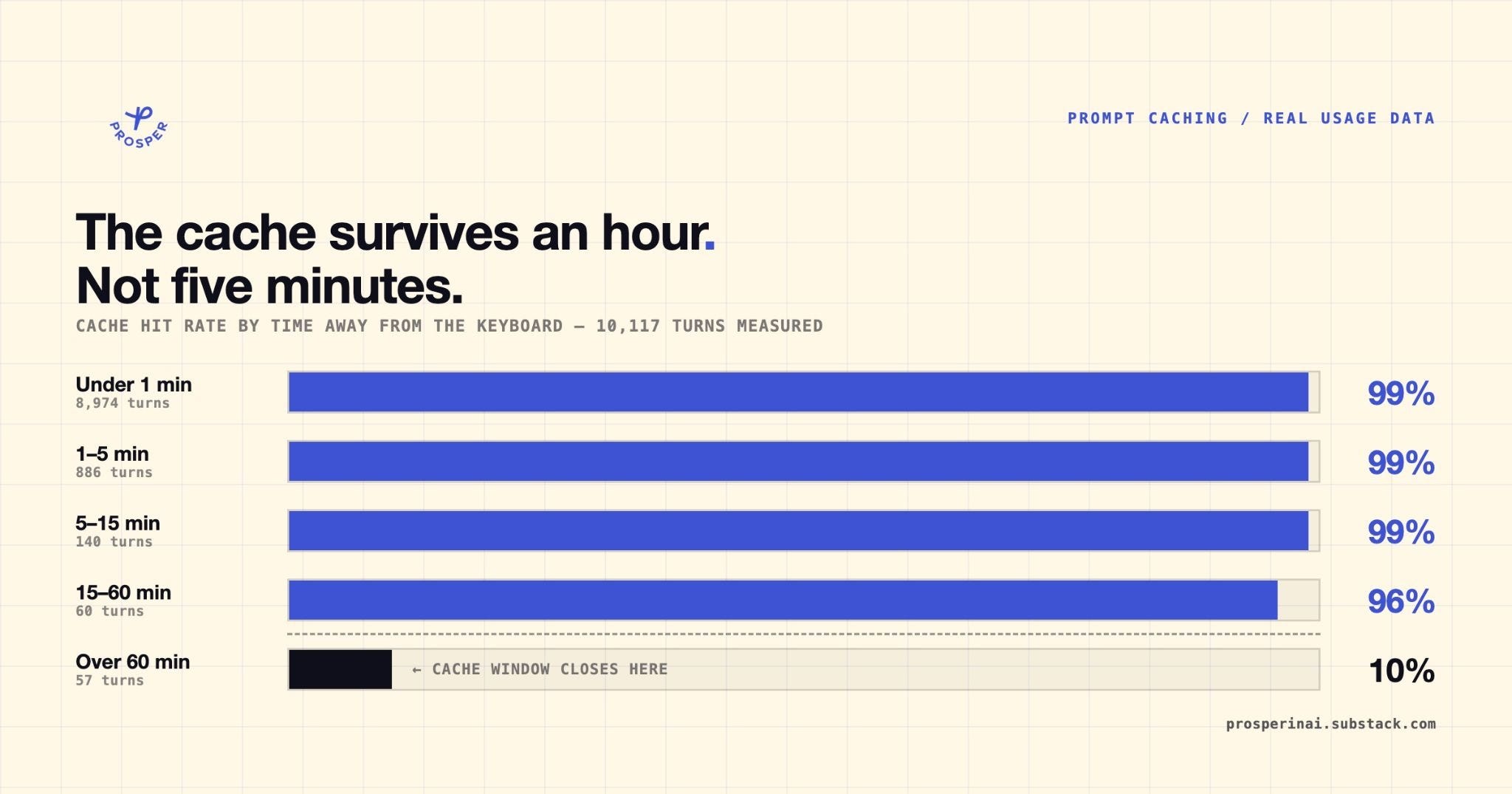
Let’s look at the first row, where I sent the messages before 1 minute expired. In there, Claude loads 200K tokens of already finished work and a couple of thousand you just added. Super efficient work.
Now, the last row shows the complete opposite. When I came back after 60 minutes from my previous prompt, Claude responded with only 10% from cache. So for example, it could’ve re-read 190K tokens from scratch, and it would’ve hurt my usage limit very badly.
If you’re on a subscription, Claude Code automatically picks the 1-hour one. But if you start using your usage credits, it automatically puts you into the 5-minute bucket. Although, you can enable the prompt caching back to 1 hour by overriding the setting.json file.
Behind this paywall, you get:
4 settings that wipe your cache, and the setup before the start of a session to prevent it
Status line script to be able to see your cache hit rate
The script that reads your Claude Code logs and gives you the table for your history of usage
1 thing I didn’t know that ended up being 2/3 of my usage
